



If you look after boilers, rooftop units, generators, vehicles or production equipment, someone will eventually ask a simple question. When did we last service that one? This guide shows how to track equipment maintenance in a way that answers that question in seconds, starting with nothing more than a spreadsheet.
You do not need special software or vocabulary to begin. You need three lists, kept the same way every time. We include a free Excel template you can download and use today, and explain the point at which a spreadsheet stops being enough.
What you need to track equipment maintenance
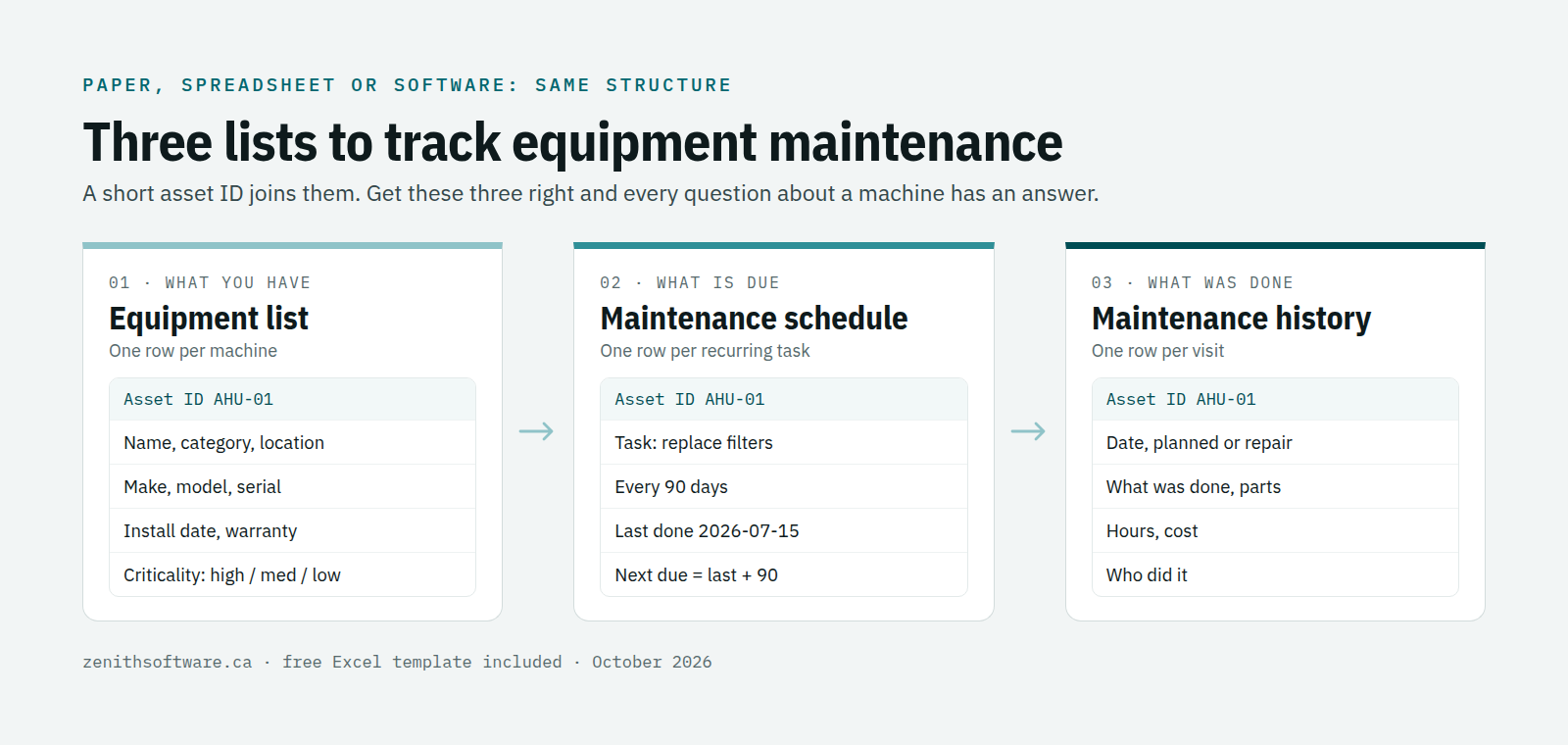
Every good maintenance record, from a clipboard in a boiler room to an enterprise system, comes down to three lists. A short asset ID joins them together.
1. The equipment list
One row for each piece of equipment you maintain. Record a unique asset ID, a plain name, the category and where it is: site, building, floor or room. Then add make, model, serial number, install date and warranty expiry. Add a criticality rating, high, medium or low, so you know what to fix first when two things break at once.
Keep asset IDs short and readable, such as AHU-01 for the first air handling unit or GEN-02 for the second generator. A technician should be able to say it over the radio and write it on a label.
2. The maintenance schedule
One row for each recurring task: change the filters every 90 days, test the generator every month, inspect the fire extinguishers every year. Record how often the task runs, the last time someone did it and who is responsible. The next due date is simply the last date plus the interval, and that one calculation is what stops inspections slipping.
Some equipment needs servicing by usage rather than the calendar: run hours on a compressor, kilometres on a truck. Note the meter reading in the history each time, and set the interval in hours or kilometres instead of days.
3. The maintenance history
One row every time someone works on a piece of equipment. Note the date, the asset ID and whether it was planned or a repair. Then record the work, parts used, time spent, cost and who did it. Our guide to what to record on a work order goes into the detail. This history is what you will show an inspector, an insurer or a new technician.
Three ways to track equipment maintenance
- A paper log. Cheap and familiar, and it works for one person with a handful of machines. It cannot remind you of anything, and it is hard to search once the binder fills up.
- A spreadsheet. The usual next step. It can calculate due dates and filter by building, and most people already know how to use one. It struggles when several people edit it, and it reminds nobody unless they open it.
- Maintenance software. The same three lists, but shared by the whole team, with reminders, a phone screen for technicians and a way for staff to report problems. The industry term is a CMMS, short for computerized maintenance management system.
There is no shame in starting with a spreadsheet. The structure matters far more than the tool, and a well-kept spreadsheet moves into software in an afternoon.
Free Excel template to track equipment maintenance
Download the free equipment maintenance tracker (Excel). It has the three lists already set up as tabs, with an example row in each:
- Equipment: the asset register, with drop-down lists for category and criticality.
- PM schedule: enter how often a task runs and the date of the last visit. The next due date and an Overdue, Due soon or OK status calculate themselves, colour-coded.
- Maintenance log: type the asset ID and the equipment name fills in from the Equipment tab.
Yellow cells are for typing; grey cells hold formulas. There are no macros, so it opens in Excel, Google Sheets or LibreOffice.
Six signs your spreadsheet has stopped being enough
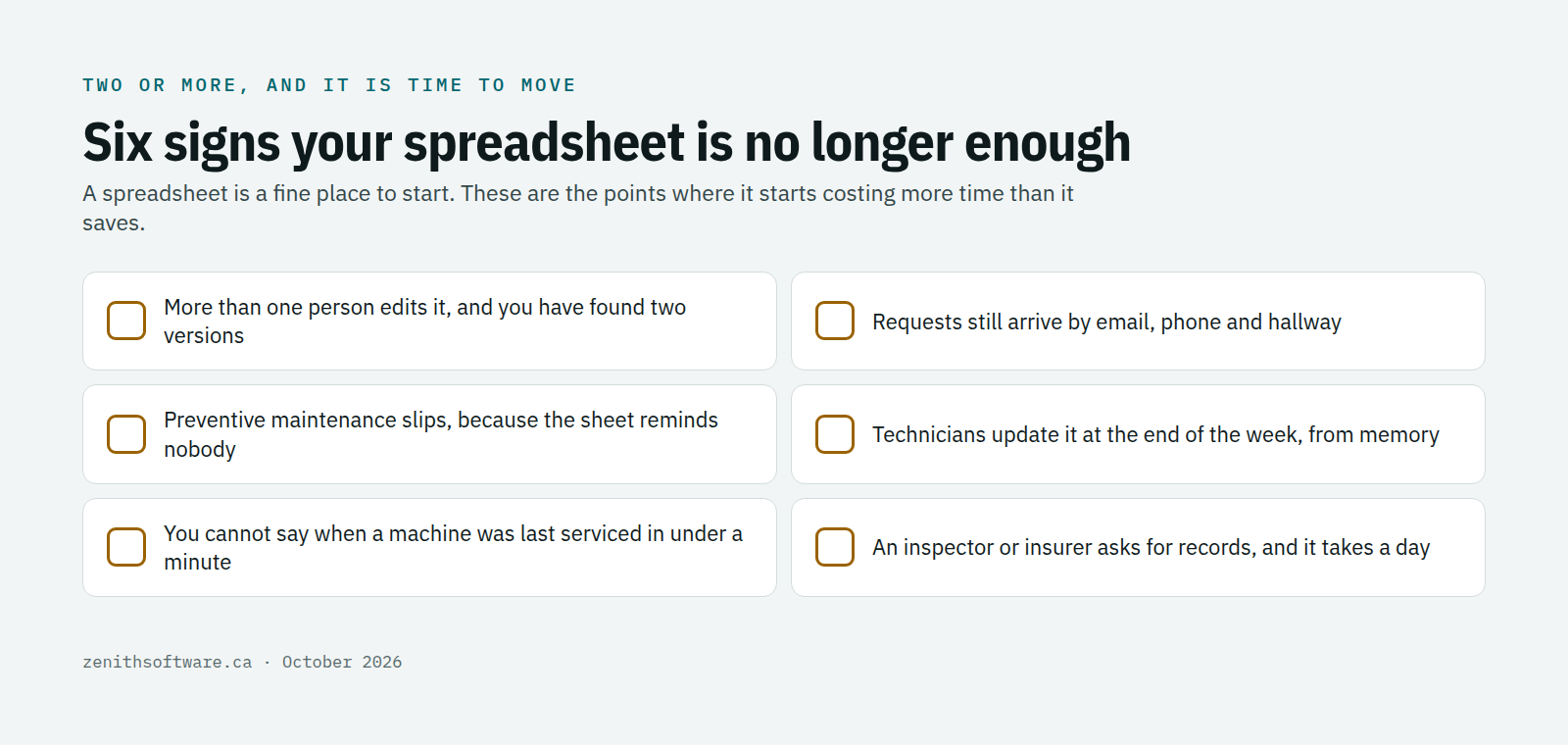
- More than one person edits it, and you have found two versions with different dates.
- Requests still arrive by email, phone and hallway, and some never make it into the sheet.
- Preventive maintenance keeps slipping, because the reminder only works if someone opens the file.
- Technicians update it at the end of the day, or the week, from memory.
- You cannot answer “when was this last serviced?” in under a minute.
- An inspector, insurer or auditor asks for records, and it takes a day to put them together.
Two or more of these, and the spreadsheet is costing more time than it saves. That is the point to look at maintenance software, not before.
Why Canadian organizations need to track equipment maintenance properly
Good records are not only good practice. The Canadian Centre for Occupational Health and Safety lists preventive maintenance among the workplace-specific items a health and safety program should include. Some equipment carries its own rules too: elevators need a maintenance control program, and fire alarm systems need an annual inspection with records kept on site. Our guide to how long to keep maintenance records in Canada covers retention. Our article on choosing a CMMS by industry lists the standards for each sector.
Insurers and buyers ask the same questions. When a boiler fails or a building changes hands, a clean maintenance history shows that someone looked after the equipment.
Moving from a spreadsheet to maintenance software
When you are ready, the move is simpler than most people expect. The template above uses the same columns Zenith’s import from Excel expects: you map your columns once, and Zenith checks every row before saving it. Your equipment list becomes the asset register, your schedule becomes preventive maintenance, and your log becomes work order history.
- Start small. Zenith’s Basic edition has no seat minimum, and staff who only report problems are free.
- Try it on your own data with a free two-week trial. You pay nothing until you decide.
- Work in English or French, on any phone, with your data hosted in Canada.
The editions and prices are on our pricing page, and our article on why Canadian organizations hesitate to adopt a CMMS answers the usual worries.
Questions people ask
What is the simplest way to track equipment maintenance?
Three lists: what you have, what is due, and what was done. A spreadsheet with those three tabs, kept up to date, beats any system nobody uses.
Can I track equipment maintenance on my phone?
A spreadsheet on a phone is awkward to edit. Maintenance software gives technicians a phone screen built for the job: open the task, record what was done, close it.
What is a CMMS?
A computerized maintenance management system. It is the software version of the three lists in this guide, with reminders, requests and reports added. If you have been searching for “maintenance tracking software” or “equipment maintenance software”, a CMMS is what you were looking for.
Where to start
Download the template, list your ten most important pieces of equipment, and add the three tasks you most often forget. Keep it for a month. If the six signs above start to sound familiar, talk to us and bring the spreadsheet: we will show you your own equipment running in Zenith.
Published by Zenith Software Corp., Victoria, British Columbia · October 2026. We verified the external references in October 2026.