



Accessibility usually enters a software purchase as a tick-box near the end, answered with a vendor’s assurance and nobody’s test. That works until a procurement officer asks for evidence, or until an employee who navigates by keyboard cannot book a desk. An accessible booking system is not a compliance artefact. It is a system that two colleagues with different needs can both use to take the same desk.
This guide covers what Canadian law requires, why a floor plan is the hardest case for an accessible booking system, the eight things to test before you buy, and what to ask a vendor in writing.
What Canadian law requires of an accessible booking system
Start with the one most Canadian buyers are measured against. Under Ontario’s AODA, public websites must be accessible if you are a designated public sector organisation, or a business or non-profit with 50 or more employees. The obligation took effect on 1 January 2021, and the standard named is WCAG 2.0 Level AA, excluding the live-captions and audio-description criteria.
Two things follow, and they surprise people.
- The legal floor is WCAG 2.0, not 2.2. If a vendor tells you 2.0 AA, they are meeting the letter of the Ontario requirement.
- The floor is well behind the practice. WCAG has moved twice since 2.0, and the criteria added in 2.2 are the ones that matter most to a booking interface. Meeting only 2.0 means passing the audit and still failing the user.
Federally regulated organisations work under the Accessible Canada Act instead, and several provinces have their own statutes. The practical effect is the same: somebody will eventually ask you which standard your booking tool meets, and on what evidence.
Why a floor plan is the hard case for an accessible booking system
Most workplace software is forms and tables, and those are well-understood problems. The floor plan at the centre of an accessible booking system is not.
A plan is a spatial, visual, drag-and-zoom interface whose core information — which desk is free — is conveyed by position and colour. Every one of those is a barrier. You cannot fix it by adding alt text to a drawing, because the drawing is not an illustration. It is the control.
That is why the useful question is not “is your floor plan accessible?” but “what is the non-visual route to the same booking, and does it carry the same information?”
The WCAG 2.2 criteria that bite a booking interface
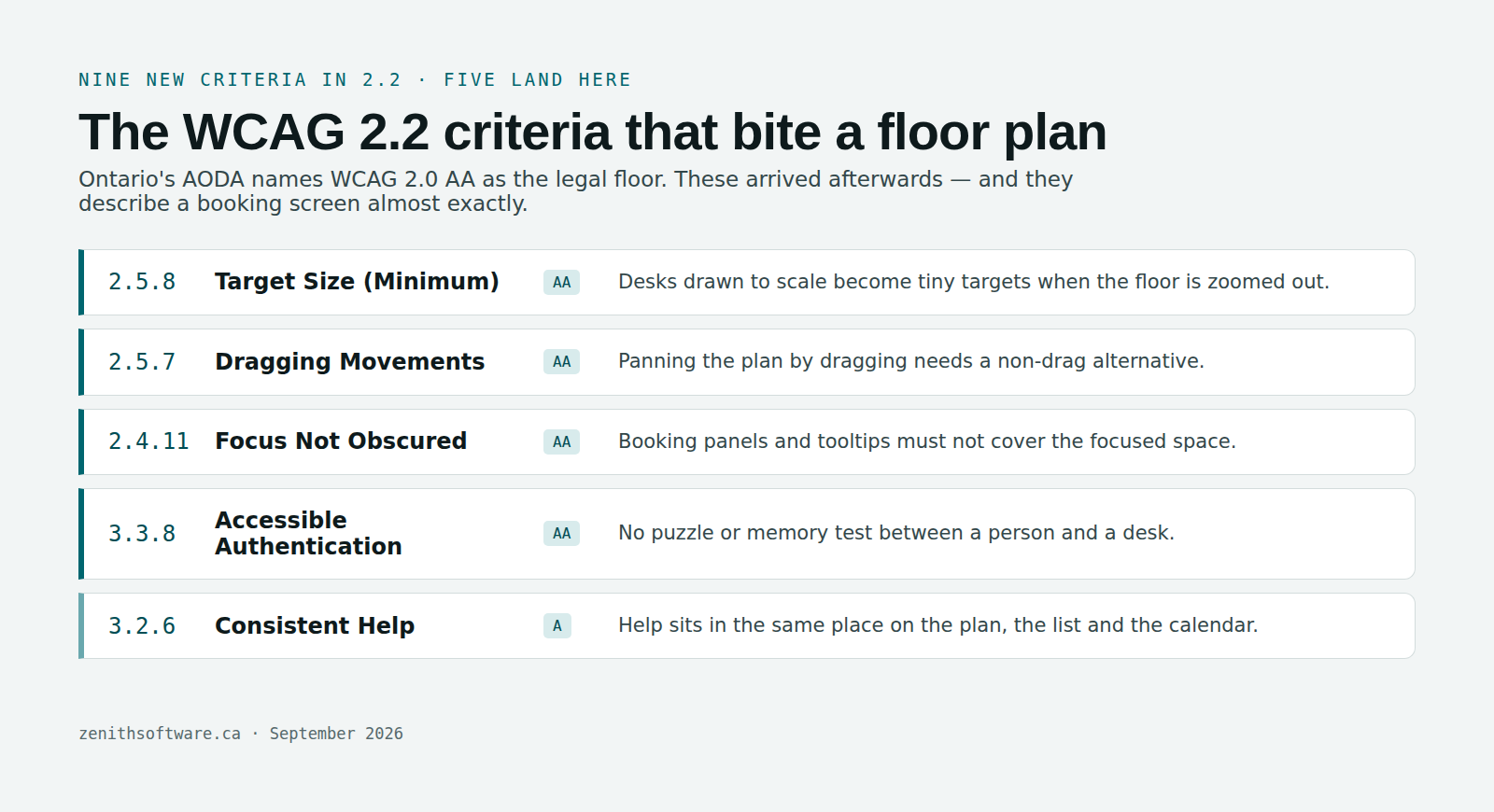
WCAG 2.2 added nine success criteria. Five of them read like somebody wrote them for an accessible booking system specifically.
| Criterion | Level | What it means on a floor plan |
|---|---|---|
| 2.5.8 Target Size (Minimum) | AA | Desks drawn to scale become tiny targets when the floor is zoomed out |
| 2.5.7 Dragging Movements | AA | Panning a plan by dragging needs a non-drag alternative |
| 2.4.11 Focus Not Obscured | AA | Booking panels and tooltips must not cover the focused space |
| 3.3.8 Accessible Authentication | AA | No puzzle or memory test to sign in and book |
| 3.2.6 Consistent Help | A | Help sits in the same place on the plan, the list and the calendar |
One more thing worth knowing: 4.1.1 Parsing is obsolete and removed in 2.2. If a vendor’s audit leans on it, the audit is old.
Eight tests for an accessible booking system
Run these in the demo, on your own floor. Each one takes a minute and no specialist knowledge.
- Book a desk using only the keyboard. No mouse, no trackpad. If you cannot complete a booking, nothing else on this list matters.
- Find the list view. Then check it carries the same information as the plan — space, type, capacity, amenities, state — and not a reduced version.
- Read the states without colour. Free, reserved, in use, assigned, not bookable. A screen that distinguishes them by colour alone fails for a tenth of your male staff.
- Trigger a refusal. Break a house rule deliberately. Does the error say what went wrong in words, and does focus move to it?
- Zoom the browser to 200%. Then 400%. Does the plan reflow, or does content disappear off the edge?
- Try to pan without dragging. Arrow keys, buttons, anything.
- Check in without the plan. The release rule is worthless to somebody who cannot reach the confirm button.
- Turn on a screen reader for two minutes. Are spaces announced with a name and a state, or as “button, button, button”?
In an accessible booking system, the list view is the feature
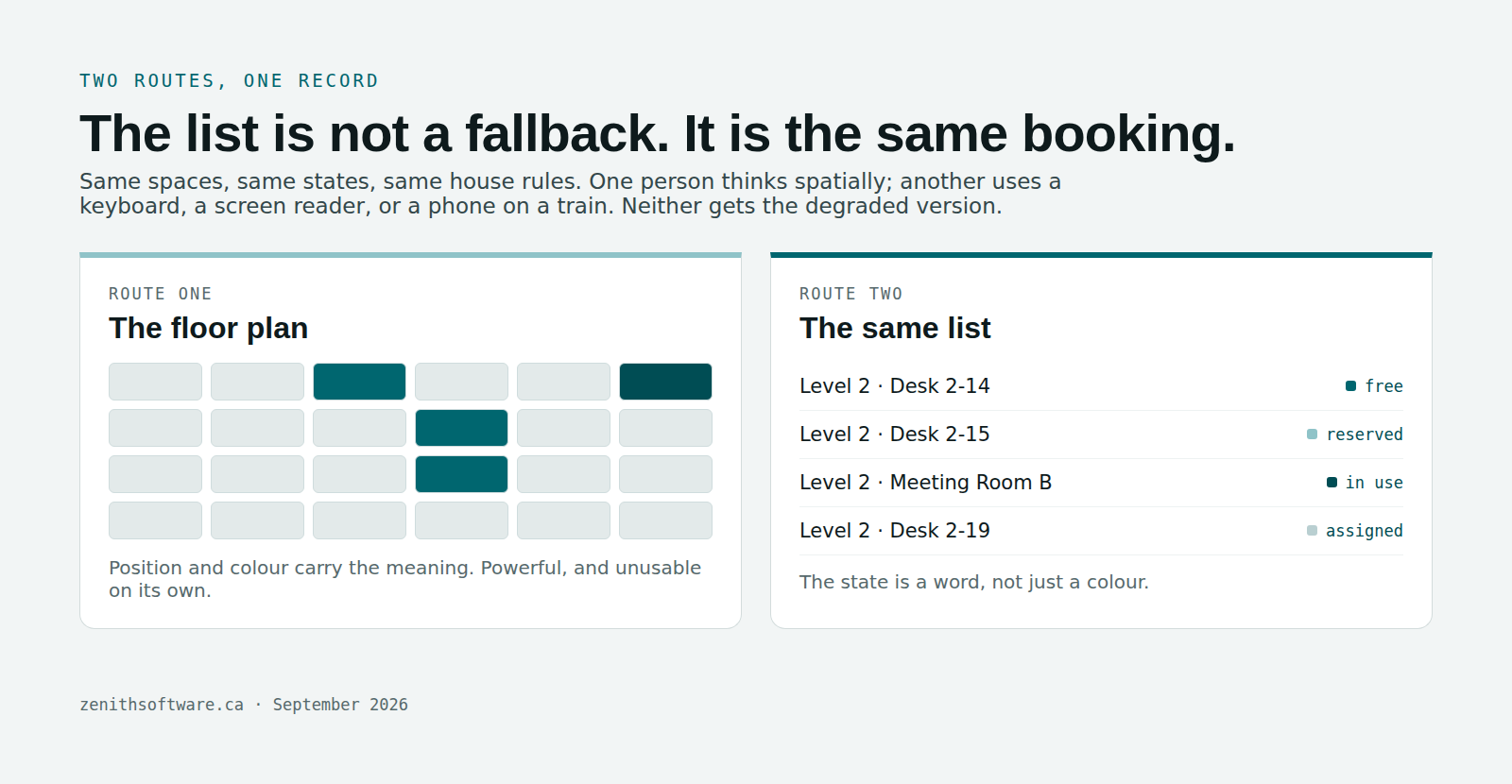
One design decision decides whether you have an accessible booking system or a compliance document: is the list a first-class route, or an afterthought?
Done properly, the plan and the list are two views of one register. Same spaces, same states, same rules, same booking. Somebody who thinks spatially uses the drawing. Somebody using a keyboard, a screen reader or a phone on a train uses the list. Neither is a degraded experience, and the second one turns out to help far more people than the accessibility case alone predicts.
Done badly, the list is a stripped table added late to answer an audit question. You can tell in about thirty seconds: if the list cannot show you amenities and capacity, it was not built to be used.
What to ask a vendor, in writing
- Which standard and level — WCAG 2.0, 2.1 or 2.2, and A, AA or AAA. Vague answers here are the answer.
- The accessibility conformance report (a VPAT or equivalent), with its date and who performed it. A self-assessment from three years ago is not evidence.
- The known-issues list. Every real product has one. A vendor claiming none has not tested.
- Whether both languages are covered. An accessible English interface with an untested French one is half a product in Canada.
- Who fixes an issue you find, on what timeline, and whether it costs you.
Then ignore the paperwork for ten minutes and run the eight tests yourself. Documents describe intentions. The keyboard tells you whether you are looking at an accessible booking system.
Questions people actually ask
Does the AODA require WCAG 2.2?
No. Ontario’s requirement names WCAG 2.0 Level AA, with live captions and pre-recorded audio descriptions excluded. WCAG 2.2 is where the guidelines have moved since, and its newer criteria address exactly the interactions a booking screen relies on — so treat 2.0 as the floor and 2.2 as the target.
Is an accessible booking system only needed by public sector organisations?
Under the AODA the obligation also covers businesses and non-profits with 50 or more employees. Beyond the legal question, an employee who needs keyboard access needs it whatever the headcount, and your duty to accommodate does not scale with company size. Public sector buyers have an extra layer: the BPS Procurement Directive decides how the purchase itself has to run. The same reasoning applies at the front door, which is why visitor management software has to be keyboard-reachable too.
What is a VPAT?
A Voluntary Product Accessibility Template — a structured report where a vendor states, criterion by criterion, whether the product supports it. It is useful mainly for what it admits. Read the partially-supports rows first.
Can a floor plan ever be fully accessible?
A spatial drawing will never be the best route for every user, and pretending otherwise helps nobody. What a product can do is guarantee an equivalent non-visual route to the same booking, with the same information and the same rules. That is the standard to hold vendors to.
Does accessibility work slow down a rollout?
Not if you test for an accessible booking system during the demo rather than after go-live. The expensive version is discovering in month four that a group of staff cannot book, and negotiating a fix from a vendor who has already been paid.
How does this relate to the duty to accommodate?
They are separate obligations that meet in the same place. Accessibility is about the interface everyone uses. Accommodation is about a specific person’s needs — including a specific desk, which should sit outside the bookable pool. Our hot desking policy template covers the clause that handles it.
Where to start
Open whatever you use today and try to book a desk with the keyboard alone. That is the whole test for an accessible booking system in one move. It tells you more than any vendor’s accessibility statement, and you will know inside two minutes.
We built Zenith Workplace to WCAG 2.2 AA as a build rule rather than a retrofit: the plan has a list view carrying the same information, states are announced in words rather than colour alone, refusals name the rule and the number, and focus lands where the error refers. Both languages, both routes, same house rules.
Published by Zenith Software Corp., Victoria, British Columbia · September 2026. Practical guidance, not legal advice. We verified the external references in September 2026.