
Evolve FM is now Zenith. We’ve brought the product under our company name. Same software, same team — new name as of September 1, 2026.
Zenith · Asset Management

Every machine knows why it fails.

Most systems store assets as rows in a register. Zenith holds each one as a body of engineering knowledge — what it must do, how it fails, what you decided about each failure, and what actually happened — with reliability figures that name the evidence behind them, and say so plainly when there isn't any.

Bilingual EN / FR · Multi-site · WCAG 2.2 AA
5 hierarchies
One register, walked five ways — none of them a second copy of your data
14 metrics
Each names what it was computed from, or why it can't be
0 invented zeros
A figure with no data behind it is never shown as 0%
EN · FR
Fully bilingual from the foundation, not a bolted-on translation
The asset model

Nine kinds of knowledge. One record.

A maintenance system is only as good as its asset model. Zenith builds nine dimensions into every machine, so the answer to “what is this, and why does it keep breaking?” is never scattered across spreadsheets, binders and the memory of whoever has been here longest.

01

Asset register

Stable identity, class, type, criticality, health and site scope — the controlled backbone every other module points at.

02

Engineering record

Structured specifications with real units and a stated source, so a manufacturer's rating and a field measurement are never confused.

03

Failure knowledge

Functions, performance standards, functional failures, failure modes, causes and effects — a reusable library, not notes on one machine.

04

Failure history

What actually happened, when, who found it and how — kept strictly separate from what can happen.

05

Reliability record

MTBF, MTTR, availability, downtime, failure rate and cost — each computed from named evidence over a stated window.

06

Strategy decisions

What you decided to do about each failure mode, why, who approved it, and which version is in force.

07

Relationships

Fourteen typed connections — feeds, powers, controls, backs up — held as dated records, so “when did this change?” has an answer.

08

Media

An unbounded set of categorised images with one primary, each traceable to the job, inspection or failure it came from.

09

Lifecycle

Installed, commissioned, useful life, replacement cost, warranty — the figures a replace-or-repair conversation actually needs.

Finding things

Five ways to walk the same estate

Facilities teams think in buildings. Reliability engineers think in systems. Planners think in classes. All five trees are rebuilt from the one register every time it changes, so none of them can drift out of step with the others — or with the truth.

Enterprise

The whole estate

Region → site → building → floor → space → machine → component → part, on one tree.

Location

From the sites down

The location registry itself, with organizations and regions dropped because they distinguish nothing.

Asset

Parent and child

What hangs off this machine — the components that live and die with it.

System

By function

Functional grouping that may span three buildings, following the system rather than the floor plan.

Class

Every pump

Class → type, for the day the question is “show me all of them” rather than “where is it”.

Trees that behave

A hundred empty rooms is not an answer

Hierarchies fail in predictable ways: levels an organization doesn't use, branches with nothing in them, and a green summary sitting above a critical machine. Each of those is handled deliberately rather than left to the data.

  • Levels you don't use don't appear — a site connects straight to an area when there's no building between them. No invented empty nodes.
  • Empty branches are pruned — places with nothing beneath them are dropped rather than standing between you and the four assets that matter.
  • Worst-of health rolls up — a branch is coloured by the worst machine under it, because green over a critical asset is actively misleading.
  • Selecting a branch filters the grid — through the same path-prefix predicate a database would run, so the tree is never a special case.
The failure chain

From what it must do, to why it stops doing it

Zenith models failure the way reliability engineering does, in the order an engineer actually reasons: a machine has functions with measurable performance standards, those functions fail in defined ways, each failure has modes, each mode has causes, and each has consequences. Aligned with ISO 14224, and reusable — a bearing failure defined once serves every machine of that class.

  • Performance standards are real numbers — “supply 500 kW at 600 V within 10 seconds of utility loss”, not “works properly”.
  • The library is separate from the events — a failure case references the knowledge and can never write to it.
  • Hidden failures are named — a failure nobody would notice is flagged and tracked separately, because no operator will ever report it.
  • Coverage is measurable — the system will tell you which functions have no failure analysis at all.
RCM, made usable

The path suggests. The engineer decides.

Five questions, answered in the order an engineer thinks about them, produce a recommended strategy and the plain-language reasoning behind it. You can override it — and the override is recorded next to what was suggested, so the decision stays explicable years later.

  • Thirteen strategy types — condition-based, predictive, scheduled restoration, failure-finding, run-to-failure, redesign, operator care and more.
  • A strategy is a controlled document — rationale and task are required, publishing supersedes rather than overwrites, and review dates are tracked.
  • It links to the work that carries it out — a job plan or a meter, validated to exist, or an honest “not linked yet”.
  • Asset beats class — a generator in a hospital can carry more than the class policy, without changing the policy.
Reliability you can defend

A number nobody can trace is a rumour

The temptation in reliability reporting is to fill every box. Zenith refuses: a metric is either computed — with the evidence it used stated on hover — or it is empty, with the reason. “PM compliance 0%” on a machine with no PM data is worse than showing nothing, because someone will act on it.

  • Fourteen metrics over a stated window — MTBF, MTTR, availability, downtime, failure rate, repeat failures, emergency ratio, planned-versus-reactive, cost.
  • Unpriced hours are declared — labour with no rate is reported beside the figure, never quietly costed at zero.
  • MTBF uses the observed span — two failures eleven months apart describe an interval; clipping them to a twelve-month window would not.
  • Reproducible — every calculation takes the date as an input, so the same question asked twice gives the same answer.
The gap, made visible

Analysis is not a decision

Linking a failure mode to a machine is analysis. An active strategy against that mode is a decision. The distance between those two columns is the work nobody has done yet — and the machines with neither, sorted so the critical ones surface first, are the risk that has never been written down.

  • Machine by machine — modes linked, modes decided, modes undecided, ordered by criticality.
  • Library by use — a failure mode used on forty machines and decided on none is a finding, not a statistic.
  • Reviews that don't quietly stop — strategies past their review date are surfaced, because that is the part of RCM that always lapses first.
  • It creates nothing — every row is an index into work that already has a page.
Day to day

A register that keeps up with a fleet

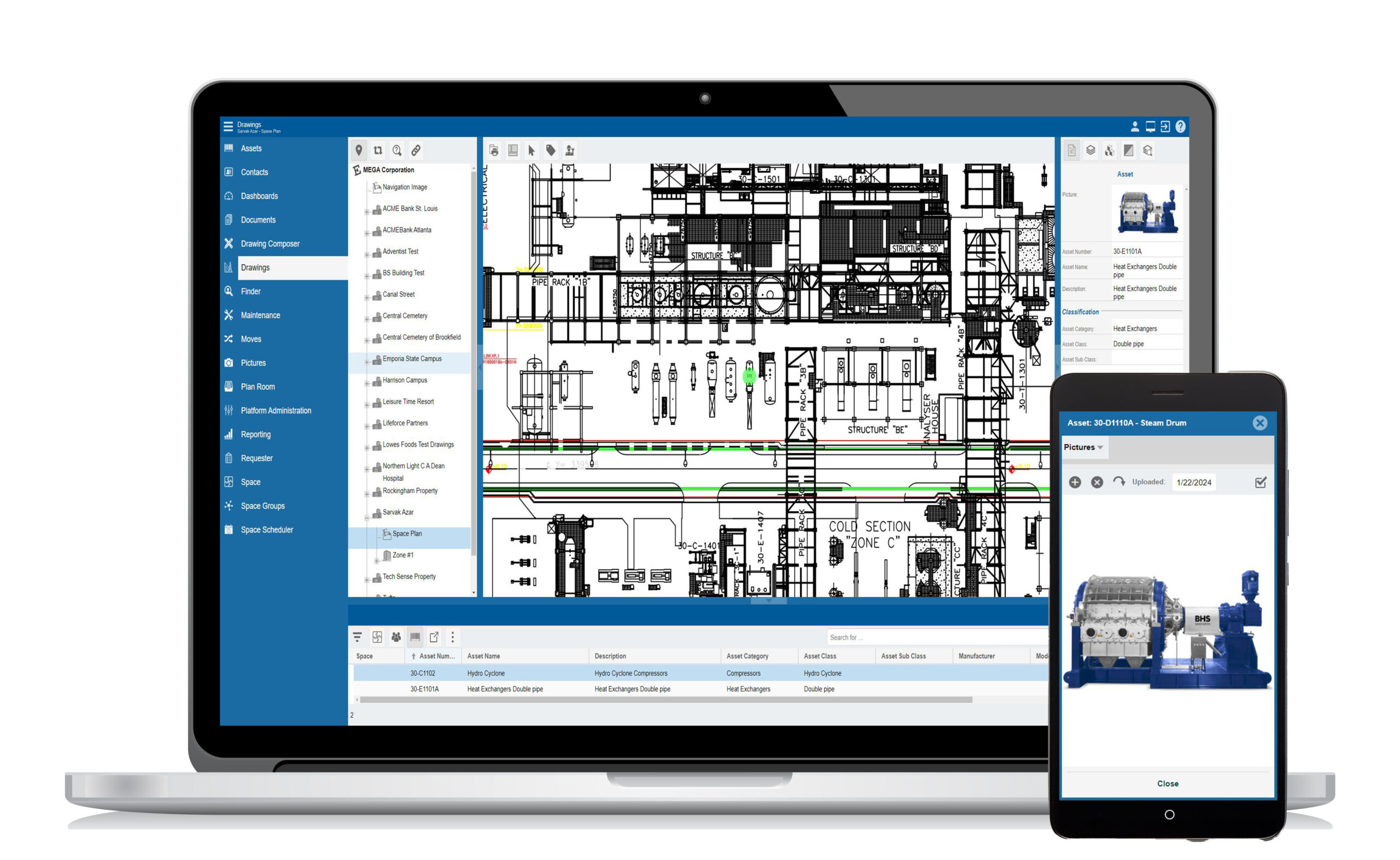
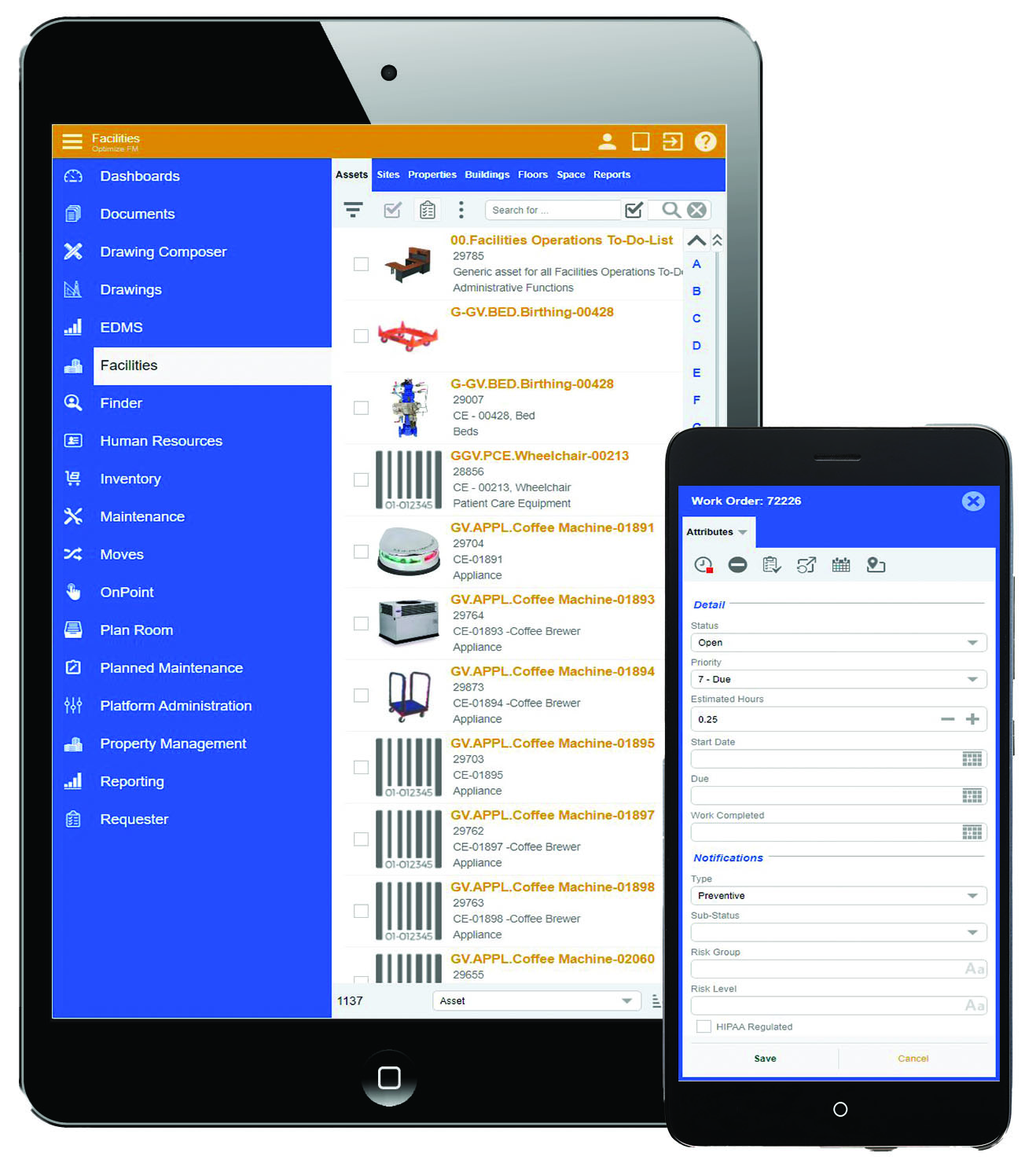
Eighteen columns, four of which are folded live from the work and PM registers rather than stored and left to go stale — so open work, next PM, PM status and year-to-date labour on the asset list are never yesterday's numbers.

Selection actions

Four things you can do to two hundred assets

  • Multi-edit — only the fields you switch on are written. A blank here never erases a value there.
  • Move — pick the new place and the site follows automatically, because letting someone disagree with the registry about that is offering them a way to be wrong.
  • Create work orders — one job per machine through the same commands as the raise screen, so every machine keeps its own history.
  • Print labels — a printable QR label sheet for the whole selection.
Getting assets in

Three ways in, and none of them lose your place

Creating an asset opens a panel over your workspace, not a page instead of it — the grid, the filters, the branch you were looking at and your scroll position all survive behind it. Seven tabs, because Work, PM and Reliability are meaningless before the asset exists.

  • From a template — the catalog model is the template: class, type, manufacturer and nameplate specifications arrive filled in, and you add only what is unique to this unit.
  • Quick add — for the day a truck delivers ten identical pumps: rows, not dialogs, pasted straight from a spreadsheet and validated per row.
  • Duplicate detection while you type — a matching serial number, or the same name in the same place, warns you before you split a machine's history in half. It warns; it never blocks.
  • Errors that take you to the field — every problem in the summary is a button that switches to the right tab and puts the cursor in the offending box.
And the rest of the toolkit

Everything an asset record touches

Specifications with provenance

Seven sources — manufacturer, vendor, commissioning, site verified, field measured, imported. Change a verified value and the verification clears; nobody inherits confidence from an old number.

Custom attributes

Your own fields per class and type — typed, validated, bilingual, and saved all-or-nothing so a half-answered set can never be mistaken for a complete one.

Typed relationships

Fourteen kinds, stored once and read from either side — stand on the panel and it says “controlled by BMS-01”; stand on the controller and it says “controls”.

Media with provenance

Thirteen categories, exactly one primary, and each image traceable to the work order, inspection or failure case it came from.

Advanced filters

A condition builder across ten fields on top of the quick filters — and export replays the exact query you're looking at, including your site scope.

Corrective-action effectiveness

Recommended fixes are one record; the thirty-eight times someone performed them are thirty-eight others. That split is what makes “does this actually work?” answerable.

Risk assessment, your scheme

Risk scoring is your organization's method, not ours — and assessments are append-only, so a score made under an older scheme is flagged rather than silently compared.

Your words, everywhere

Rename Asset, Criticality, Health or any other term and it changes what people read — never what a filter matches on.

Site-scoped throughout

Every list, tree, export and figure respects the sites you're authorized for — enforced in the query, not by hiding a menu.

Enterprise foundations

Records that can't disagree with each other

The discipline behind this module is that a fact lives in exactly one place, and every view derives from it. That is what stops an asset list and an asset record telling two different stories about the same machine.

Referenced, never retyped

Location is one reference into the registry — rename a building and it renames everywhere. The manufacturer lives on the catalog model, so it can't contradict it.

Retire, don't delete

Relationships end with a date, strategies supersede, library entries retire. “This pump used to feed that tank” is maintenance history.

Bilingual by birth

Full en-CA / fr-CA parity on every screen, hint, empty state and validation message — plurals handled properly, not by concatenation.

Accessible to everyone

WCAG 2.2 AA as a build rule: real tab semantics, tab states announced in words, and focus that moves to the field an error refers to.

Designed around ISO 55000 · Asset management ISO 14224 · Reliability data RCM decision logic WCAG 2.2 AA
Questions people actually ask

Before you book the demo

Do we have to do full RCM to get value from this?
No, and most customers don't start there. The register, hierarchy, specifications, media and work history all stand on their own. The failure model is there when you want it, and it is designed to be filled in gradually — the RCM workspace exists precisely to show you which machines have analysis and which don't, so you can start with the critical few rather than boiling the ocean.
Can we import our existing asset list?
For a straightforward list, yes — Quick Add takes a paste straight from a spreadsheet, validates every row against the register and against the other pasted rows, and tells you which ones clash before saving. A full import with field mapping and a dry run lands with the data layer; for a migration of any size we'd normally run that with you rather than hand you a wizard.
Does it compute an RPN or FMEA risk number?
Not a fixed one, and that's deliberate. Severity × occurrence × detection produces a number that looks objective and isn't — three organizations will score the same failure three ways. Zenith lets your organization define its own risk scheme and stores the resulting score and band against the specific machine-and-mode pair. A generator failing at a hospital and the same failure at a storage yard are not the same risk, and the model refuses to pretend otherwise.
Why is my dashboard showing blanks instead of zeros?
Because a zero is a claim. “0% emergency work” on a machine nobody has touched all year is not a good result, it's an absence of data — but people read it as a result and act on it. Every metric in Zenith is either computed, with the evidence it used stated on hover, or empty with the reason. As the record fills in, the blanks fill in.
How do you stop the same machine being entered twice?
Two live checks while you type: a matching serial number anywhere in the register, and the same name in the same place. Both warn with the existing asset named, because recording a machine twice splits its history in half. Neither blocks — sometimes they really are two identical pumps side by side, and the software shouldn't argue with somebody who can see them both.
Can we use our own terminology?
Yes. Asset, Type, Status, Health, Criticality, Manufacturer, Model and the rest resolve through a terminology layer, so if your organization says “Equipment” or “Unit”, that's what people read. Crucially it changes only the words — the stored values stay canonical, so renaming a status never changes what a filter or a report matches on.
What's the difference between a failure mode and a failure case?
A mode is knowledge — “this kind of pump can fail this way” — and it's reusable across every machine of that class. A case is an event: this machine, this date, this symptom, this downtime. Zenith keeps them strictly apart, and a case can reference the library but never write to it. That separation is what makes fleet-wide analysis possible without one site's incident quietly editing everyone's engineering data.
Does a reported failure immediately count in the statistics?
No. Reporting is not diagnosing. Every failure case is created unconfirmed, however certain the reporter was, and confirming the mode is a separate deliberate act — you can't confirm a failure without naming a mode, or a root cause without naming a cause. Analytics count only confirmed cases, because analytics that count unconfirmed diagnoses report on guesses.
Can one asset belong to a system that spans several buildings?
Yes — that's exactly what the System hierarchy is for. Relationships are dated records rather than fields, so a machine can be a component of one system, powered by a second asset and redundant with a third, all at once. The hierarchy enforces one parent so cost roll-ups stay unambiguous, and refuses to create a cycle.
How does an asset connect to the maintenance that gets done on it?
Through strategy. Each failure mode carries a decision, and that decision links to the job plan or the meter that carries it out. The asset list then folds live figures back from the work and PM registers — open work orders, next PM, PM status, year-to-date labour — so the register reflects what is actually happening rather than a snapshot somebody saved.
Is it multi-site, and can people see only their own sites?
Yes to both. Site scope is part of the query, so lists, trees, exports and figures all respect what a person is authorized to see. An asset's site is derived from the location you file it under rather than typed separately, which removes an entire class of disagreement between a record and the registry.
Can we get our data out?
Export replays the exact query the grid is serving — your search, your filters, your selected branch and your site scope — so what you get is what you were looking at, not a different query that happens to share a name. Reports and scheduled delivery are handled by the reporting side of the platform.
See it with your own equipment

Bring the machine that keeps coming back.

Every site has one — the asset nobody can explain, with a repair history in three systems and an engineer's head. We'll model it in Zenith: its functions, how it fails, what you've been doing about it, and what the record says that actually works.

Zenith · Asset Management Part of the Zenith maintenance & asset operations platform

Standards are named by number, title and scope only. CSA and ULC publications are paywalled — read the standard itself before building a compliance programme on any summary.