

A professor emails the building manager about a leak above her office. A student fills in a residence form about a broken window latch. Someone in the library calls a phone number that was retired two years ago and leaves a voicemail. Three people report the same broken automatic door opener through three different channels, and nobody knows if anyone is working on it. A week later, the professor writes to the dean. Without a campus maintenance request system that everyone actually uses, this is a normal Monday.
The trades aren’t ignoring anyone. The requests simply never reached them in a form they could act on, or reached them three times with no way to tell. This guide covers why campus requests disappear, how to build a single service desk that faculty, staff and students will use, how to make it accessible (including what Ontario’s AODA rules mean for it), and how to measure whether it’s working.
Why maintenance requests disappear on campus
Most lost requests come from a handful of causes:
- Too many front doors. Email to individuals, a shared inbox, a phone line, a web form, residence front desks, and hallway conversations with a technician. Each one is a place for a request to stall.
- Requests sent to people, not to a queue. When the supervisor is on vacation, so is the request.
- No usable location. “The washroom on the third floor” doesn’t say which building, wing or room, so someone has to call back.
- No triage. Every request lands in one pile, so a flooded lab waits behind a squeaky chair.
- No status. Requesters can’t see what’s happening, so they report again, phone, or escalate.
- No closure. The job is done, but nobody tells the requester, so they assume it wasn’t.
- No data. Without consistent records, nobody can show which buildings generate the most requests or how long people really wait.
The fix isn’t a new form. It’s a service model with one way in, clear routing, honest updates and a closed loop, supported by a university work order system that the trades use every day.
What a good campus maintenance request system looks like
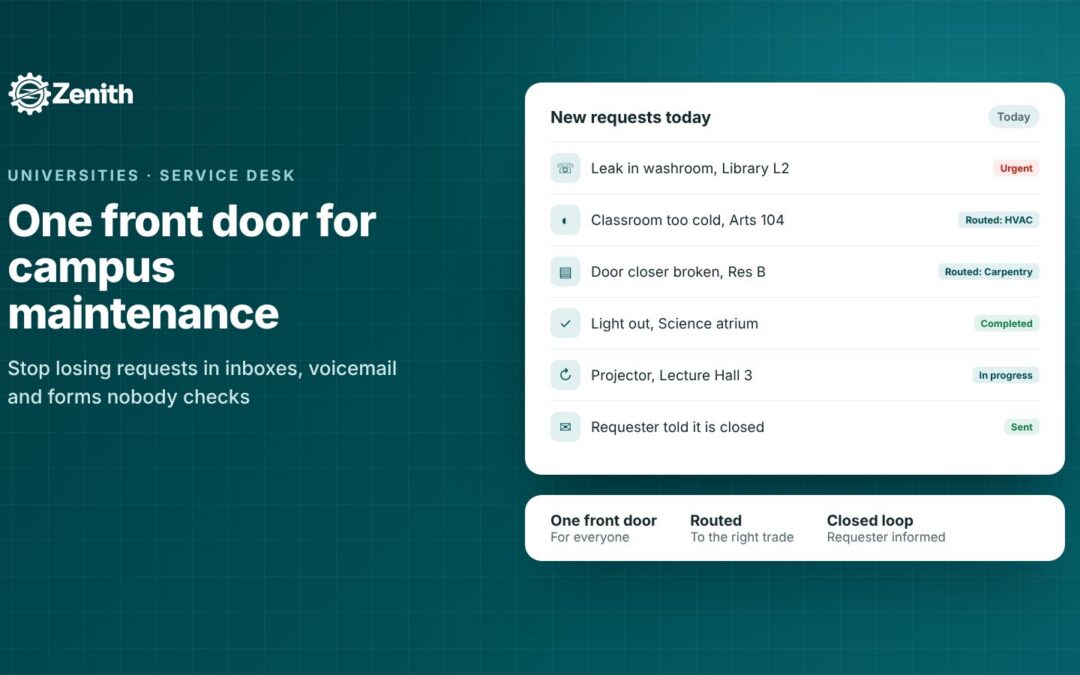
One front door
Pick one place where all non-emergency requests start, usually a web portal linked from the campus intranet, the facilities website and residence pages. Keep a phone line and in-person option, but have the people who answer them enter the request in the same system. Then retire the old forms and inboxes, or set auto-replies that point to the portal.
Emergencies are the exception. Flooding, gas smells, people stuck in an elevator, no heat in winter or anything that threatens safety should go to a 24-hour phone number, not a web form. Say so clearly at the top of the portal.
A location people can actually give
Location is the field that saves the most time. Give requesters a building list, then floor and room, using the same room numbers that appear on doors and in your space register. Add a free-text field for “near the east stairwell” details. If your rooms already live in a space inventory, use that list; it’s the same data that drives space management on campus.
QR codes on room signs or equipment can also help people report the right place, especially in large teaching buildings and residences.
Categories that route to the right trade
Requesters shouldn’t need to know your org chart. Ask them what the problem is, in their words, and let the category decide where it goes. A starting list:
| Category (what the requester sees) | Routes to | Examples |
|---|---|---|
| Too hot, too cold or stuffy | HVAC and controls | Office at 28°C, no airflow in a lecture hall |
| Leaks, toilets, sinks, water | Plumbing | Ceiling stain, blocked drain, no hot water |
| Lights and power | Electrical | Lights out, dead outlet, flickering fixture |
| Doors, locks and keys | Locksmith or carpentry | Door won’t latch, card reader fault |
| Elevators, ramps and automatic doors | Priority accessibility queue | Door opener not working, elevator out of service |
| Cleaning and spills | Custodial | Spill in hallway, washroom supplies |
| Outdoors, snow and ice | Grounds | Icy walkway, fallen branch |
| Furniture and moves | Moves crew | Broken chair, office move |
| Residence room | Residence maintenance | Window latch, bed frame, heater |
| Lab services | Lab facilities, with EHS where needed | Fume hood alarm, lab water, gas outlets |
Keep the list short. Ten or twelve plain-language categories beat forty technical ones. Review it each term using the “other” requests: if many say the same thing, add a category.
Urgent versus routine, in plain language
Requesters can’t judge priority in trade terms, but they can answer simple questions. Use plain-language urgency, then let the desk set the final priority. For example:
| Requester answer | Desk priority | Example target |
|---|---|---|
| Someone could get hurt, or there is water, smoke or no access | Emergency, phone instead | Immediate response |
| It’s stopping teaching, research or access today | Urgent | Same working day |
| It needs fixing but work can continue | Routine | Within a set number of working days |
| It’s an improvement or a project | Planned | Scheduled with the requester |
The targets above are examples only. Set your own with your trades, publish them, and report against them.
Photos and attachments
A photo of a leak, a cracked tile or an error code on a thermostat often tells the technician which tools and parts to bring. Make photos easy to add from a phone, but optional, so nobody is blocked from reporting.
A work control desk that triages
Someone needs to own the queue. A work control desk (even one person part-time on a small campus) checks new requests, merges duplicates, confirms location and priority, converts requests to work orders and assigns them. Triage is where requests stop disappearing.
Status updates and closing the loop
People mostly want to know three things: that the request arrived, that someone is on it, and that it’s done. Automatic updates at each step mean fewer follow-up calls and duplicate reports. When a job is waiting, say why (“waiting for parts”, “contractor booked for Thursday”) rather than leaving it silent.
Close the loop on purpose. When the technician finishes, the job should be checked (by a supervisor, or by the requester confirming) before it’s closed, and the requester told. If you need a fix to be verified, for example for a recurring leak, keep that step in the workflow.
Residences, events and after-hours
Residences generate a high volume of small requests and often have their own maintenance staff. Keep them in the same system, with their own categories and team, so you can see the full campus picture. For events and room bookings, a request can be tied to the booking; see how campus room booking fits in.
Accessibility: AODA and beyond
A maintenance request portal is one of the few facilities tools used by everyone on campus, including people with disabilities. It should be built for them from the start.
What Ontario’s AODA rules say
Ontario’s Integrated Accessibility Standards Regulation, O. Reg. 191/11 under the Accessibility for Ontarians with Disabilities Act, 2005, includes several rules that touch a campus service desk:
- Websites and web content. According to the Government of Ontario, designated public sector organizations and businesses or non-profits with 50 or more employees must make public websites and web content posted after January 1, 2012 meet WCAG 2.0 Level AA, as of January 1, 2021, except for the success criteria on live captions and pre-recorded audio descriptions. Internal sites such as intranets don’t have to meet those levels, but if someone asks for content in an accessible format, the organization must work with them to meet their needs. Whether your request portal counts as public or internal depends on how it’s published, so many institutions hold all their portals to WCAG AA.
- Feedback processes. Section 11 requires organizations that have processes for receiving and responding to feedback to make them accessible, by providing or arranging accessible formats and communication supports on request, and to tell the public these are available. A maintenance desk often works as the place people report facility problems, so it’s sensible to design it to the same standard.
- Maintenance of accessible elements. Section 80.44, in the Design of Public Spaces standards, requires procedures for preventative and emergency maintenance of accessible elements in public spaces. Your request categories, priorities and PM program are where those procedures become real.
- Temporary disruptions. Under section 80.48, when facilities that people with disabilities rely on are temporarily disrupted, the provider must give public notice that includes the reason, the anticipated duration and any alternatives. One Ontario university’s procedure for temporary service disruptions shows how this works for elevators, power door openers, ramps and lifts.
Read the regulation itself and work with your institution’s accessibility office on how these apply to you.
Outside Ontario
Other provinces, including Manitoba, Nova Scotia and British Columbia, have their own accessibility laws, and federally regulated organizations fall under the Accessible Canada Act. Requirements and timelines differ, but the practical steps below are good practice everywhere.
An accessible request portal checklist
- Plain language in every label, category and message.
- Works with a keyboard and screen reader, with a visible focus and labels on every field.
- Doesn’t rely on colour to show status or errors.
- Photos optional, with text always enough to submit.
- Clear error messages that say what to fix and where.
- No surprise time-outs that lose a half-finished request.
- Other ways in: a phone number and in-person help, with staff entering requests for people who need it.
- Single sign-on, so nobody needs another password.
- English and French where your community needs it.
- Accessibility categories at high priority, so a broken door opener or elevator is treated as a barrier, not a nuisance.
For related guidance on bookings, see our post on building an accessible booking system.
Measuring response
If you don’t measure it, the system will drift back to email. Track a small set of measures by category, building and priority:
| Measure | What it tells you |
|---|---|
| Time to acknowledge | Whether the desk is keeping up |
| Time to assign | Whether triage is a bottleneck |
| Time to complete, by priority | Whether you meet published targets |
| % completed within target | The headline service measure |
| Requests on hold, by reason | Where delays really come from (parts, access, contractors) |
| Reopened requests | Whether jobs are fixed the first time |
| Requests by building and category | Where to focus preventive maintenance and capital planning |
| Backlog age | Whether routine work is quietly piling up |
Separate waiting that’s outside your control (the requester asked to delay, the room is booked) from waiting that isn’t (parts not ordered). Otherwise the numbers punish the trades for things they can’t fix, and nobody trusts the report.
Share a simple monthly summary with deans, residence managers and student leaders. Showing that requests are handled, and where they get stuck, builds more trust than any promise.
A rollout plan that works
- Map today’s channels. List every inbox, form and phone number people use now.
- Agree categories, priorities and targets with trade supervisors and residence staff.
- Load locations from your space register or floor plans.
- Set up the desk: who triages, during what hours, and who covers after hours.
- Pilot in one or two buildings for a few weeks and fix what confuses people.
- Launch campus-wide with simple messages: one link, one phone number, emergencies by phone.
- Retire old channels, with auto-replies pointing to the portal.
- Report monthly and adjust categories each term.
Common mistakes
- Launching a portal but keeping every old inbox open, so nothing really changes.
- Asking requesters to pick a trade or priority code they don’t understand.
- Making photos or asset numbers mandatory.
- Going silent when a job is on hold.
- Closing jobs without telling the requester.
- Treating accessibility repairs as routine, leaving a door opener broken for weeks.
- Measuring only completion time, not how long requests wait before anyone looks at them.
How Zenith helps with campus maintenance requests
Zenith is a CMMS and workplace platform built in Canada. Here’s how its features map to the method above.
- One front door. A request portal with a 4-step form: details, location, attachments such as photos, and review. Requesters choose plain-language urgency, and an urgent switch flags what can’t wait.
- Routing by category. Categories send each request to the right team, so plumbing goes to plumbing and residence requests go to residence maintenance.
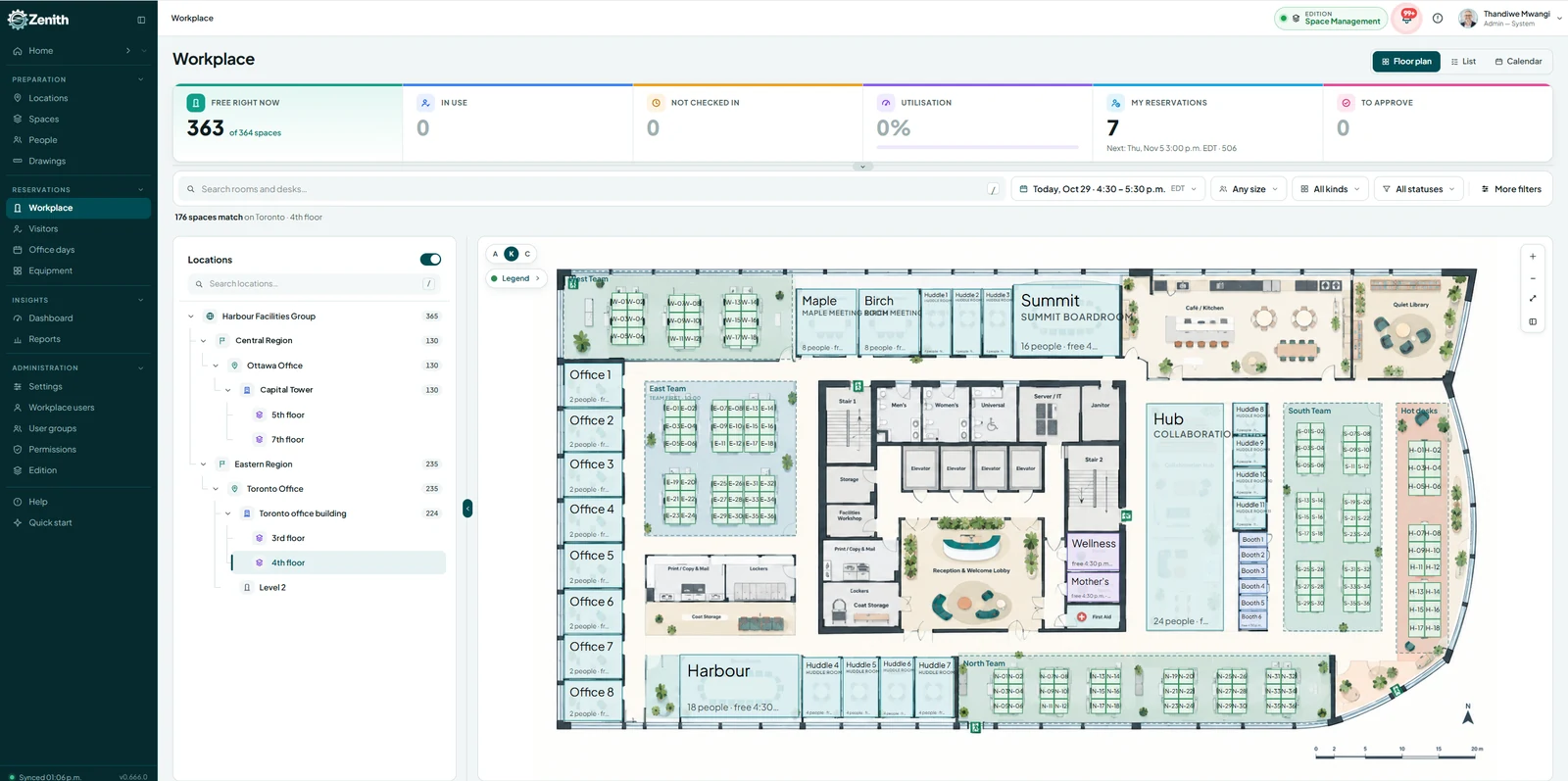
- Locations that match your campus. The request form has its own location step, assets sit in a site, facility and location hierarchy, and Zenith’s space management keeps floor plans and a space register of your rooms.
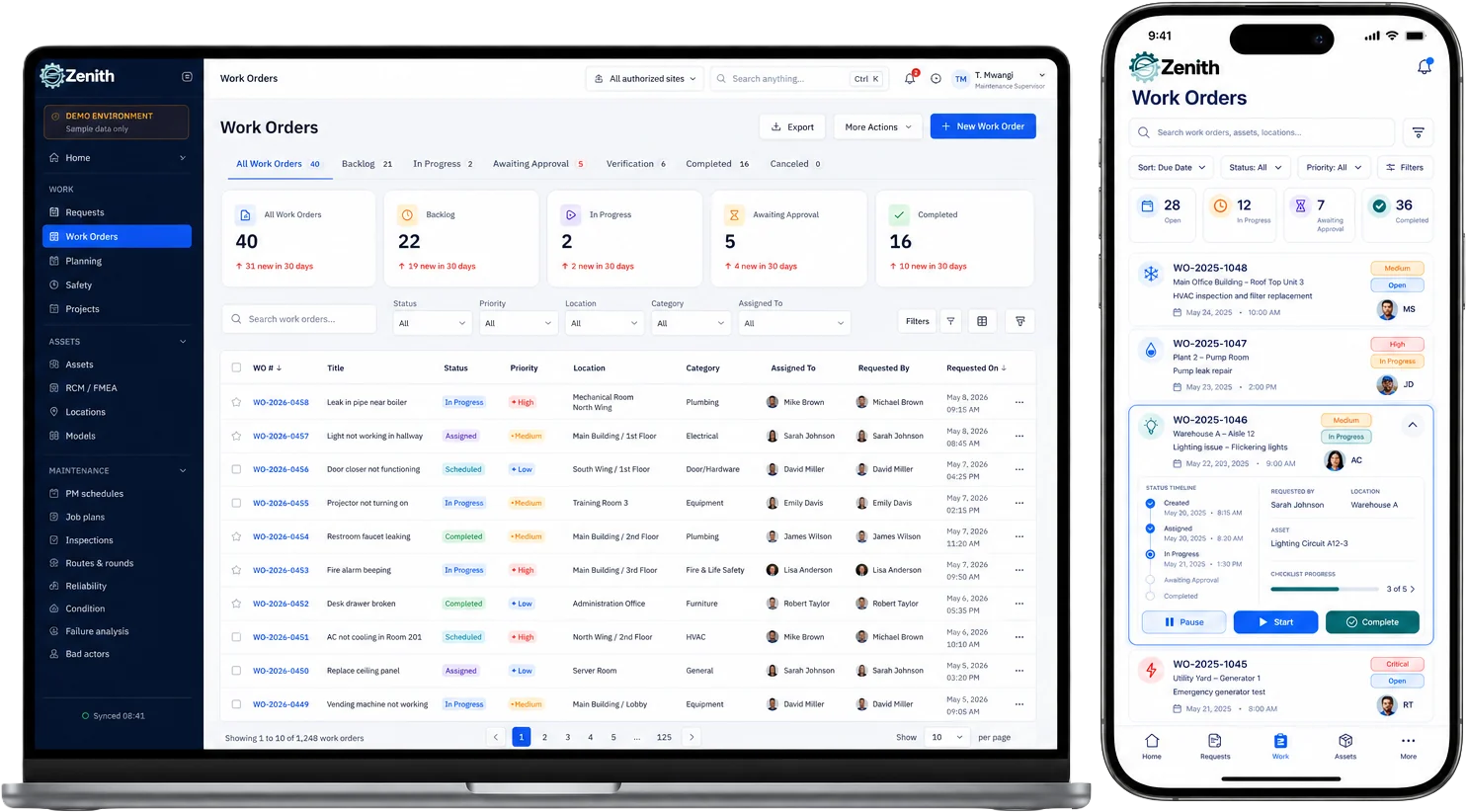
- Requests become work orders. The desk converts a request into a work order with priority, type, asset, location, assignment and due date, plus approvals where needed.
- Status people can see. Requesters can see the status of their request and are told when the job has been checked and closed. Work order statuses include Scheduled, In Progress, On Hold, Awaiting Approval, Verification, Completed and Closed.
- Honest delay tracking. On Hold takes a reason from a delay register, and the reason decides whether the wait counts against repair time.
- In the field. Technicians work from their phones, scan QR codes or barcodes on assets and add photos, with a full history trail on every work order.
- Measuring response. Dashboards, a report library, scheduled email reports and exports to Excel and CSV cover KPIs such as on-time completion and MTTR. Zenith Assist answers questions like “which buildings had the most heating requests this month?” See analytics and reporting.
- Accessible and bilingual. Zenith is built to WCAG 2.2 AA, available in English and French, and supports single sign-on with SAML and Microsoft Entra ID, so staff and students use their campus login.
- Automation. Workflows and automation can handle routine steps, and integrations connect Zenith to other campus systems.
For a broader look at Zenith on campus, see CMMS for schools and universities, or watch our short videos on requests and work orders.
FAQ
What is a campus maintenance request system?
It’s the way faculty, staff and students report facility problems, and the process behind it that routes, tracks and closes each request. A good one has a single portal, plain-language categories, location by building and room, status updates and reporting.
How do I get people to stop emailing the trades directly?
Make the portal easier than email: one link, single sign-on, a short form and visible status. Then set auto-replies on old inboxes that point to it, and have supervisors enter any request they receive directly into the system.
Should students be able to submit maintenance requests?
Usually yes, especially in residences and teaching spaces. Use categories and permissions to route residence requests to the right team and to keep internal details private.
What’s the difference between a request and a work order?
A request is what someone reports. A work order is the job the maintenance team plans, assigns and completes. A desk reviews requests, merges duplicates and converts the valid ones into work orders.
Does a maintenance request portal need to meet AODA requirements?
In Ontario, public websites and web content of designated public sector organizations and larger organizations must meet WCAG 2.0 Level AA, with some exceptions, and feedback processes must be accessible on request. Whether your portal is treated as public or internal depends on how it’s published. Check with your accessibility office, and aim for WCAG AA regardless.
How should accessibility repairs be prioritized?
Treat broken elevators, automatic door openers and ramps as high priority, because they block access. In Ontario, the IASR requires procedures for preventative and emergency maintenance of accessible elements in public spaces and public notice of temporary disruptions.
What should we measure first?
Time to acknowledge, time to complete by priority, and the percentage completed within your published targets. Add hold reasons and reopened requests once the basics are steady.
Next step
Start by listing every way people report maintenance problems today. That list is your case for one front door.
If you’d like to see how a request moves from portal to closed work order, book a demo and we’ll walk through it with your own buildings.