

Analytics and reporting · AI Reports
Ask in plain words. Get the report, and the analysis.
Managers shouldn’t need a report builder to find out what’s happening. Ask Zenith a question the way you’d ask a colleague and get a clear report: key figures, a chart and a short explanation of what it means. Then go further with live analyses that show exactly how every number was worked out.
The walkthrough is part of our video series; registration with a work email is required.
Shown with sample data.
Reports
Reports without the report builder
No filters to learn, no templates to set up. Just ask.
Ask in plain words
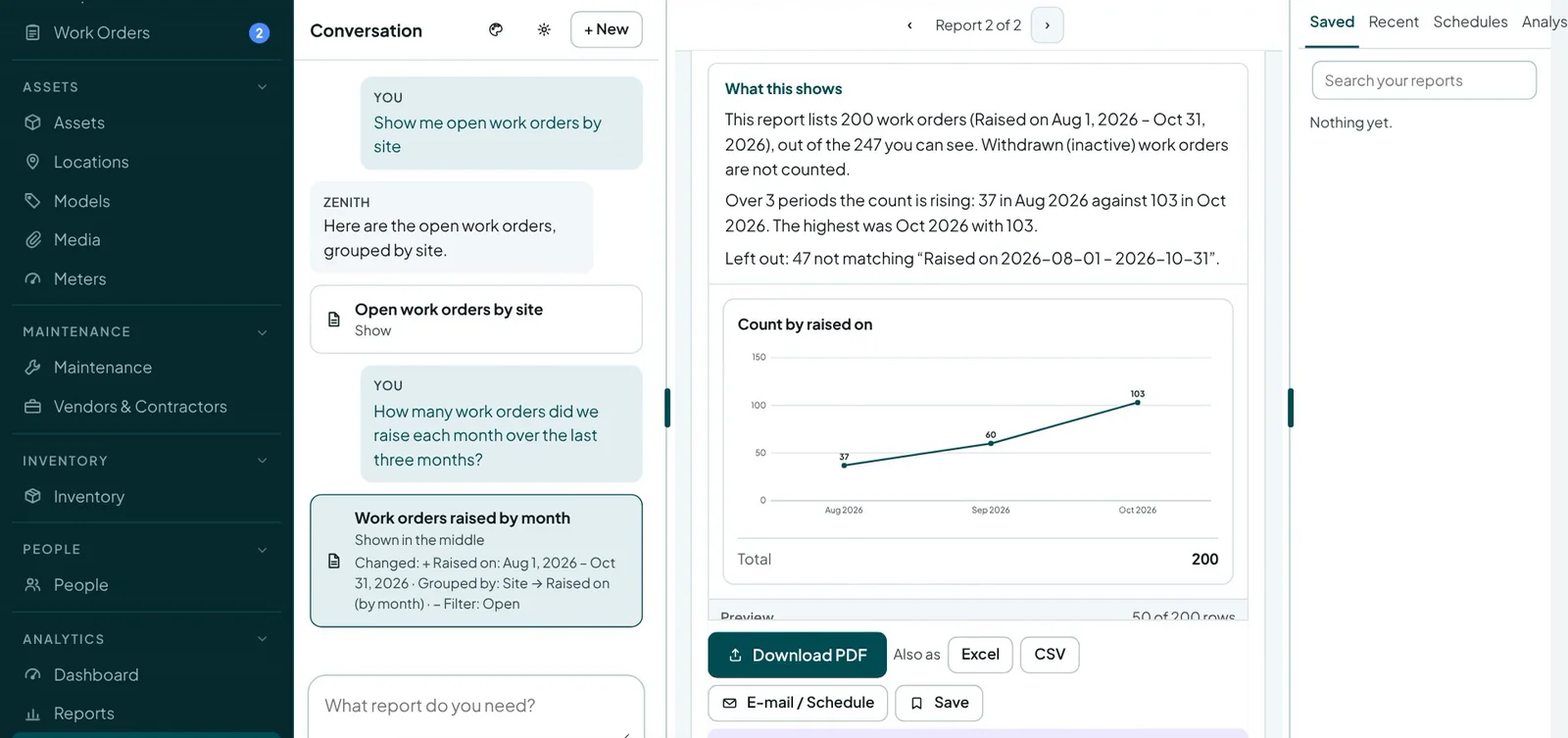
Type a question or use the microphone: “Show me open work orders by site.” If a question is unclear, Zenith asks you first instead of guessing.
Figures, chart, meaning
Every report opens with the key figures, a chart and the total, then explains in plain words what stands out.
Change it by asking
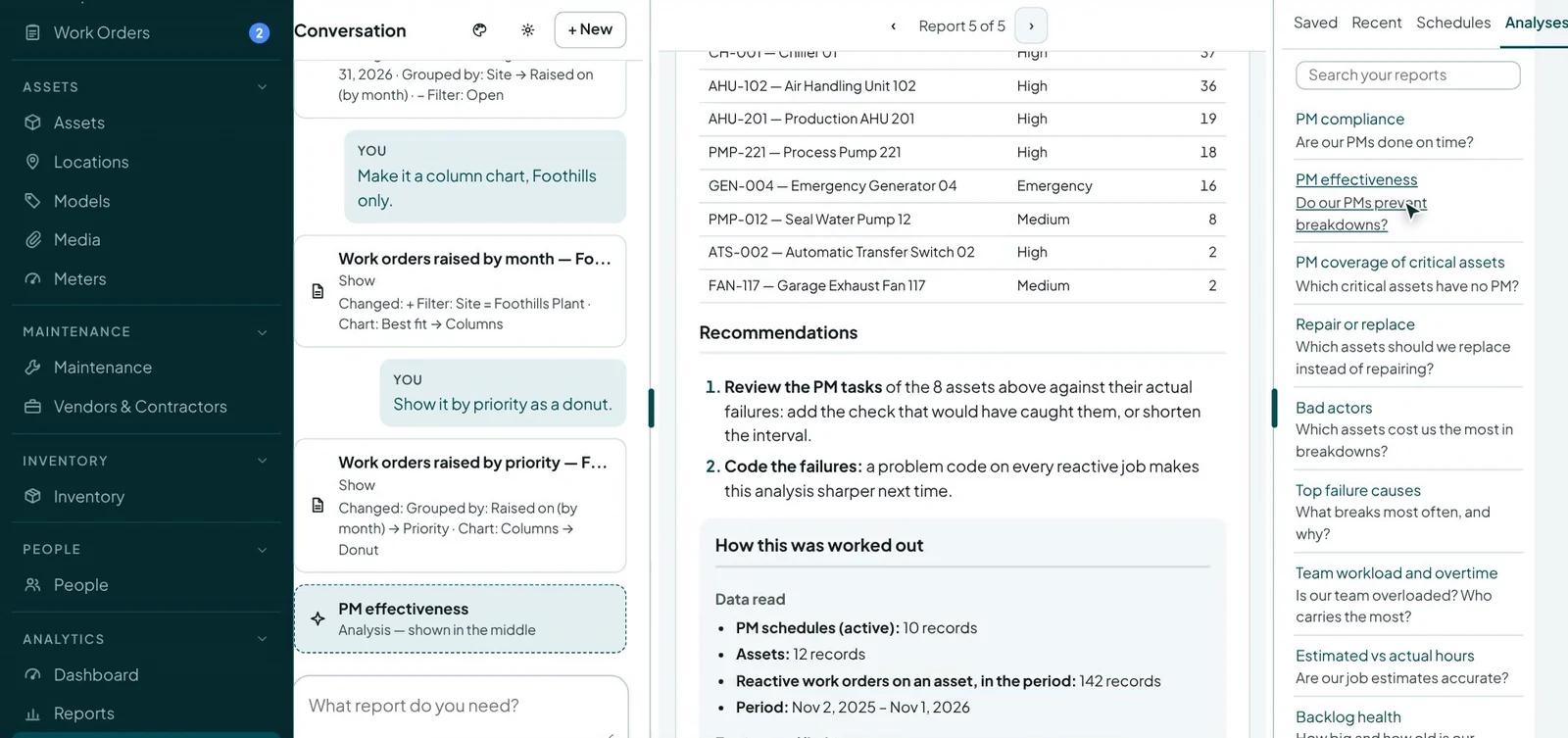
“Make it a column chart, one site only.” Only what you asked for changes, and Zenith shows exactly what changed.
Share it
Download a PDF that looks just like the screen, ready for a meeting, or Excel and CSV to work with the numbers.
Analysis
Answers to the questions managers ask every week
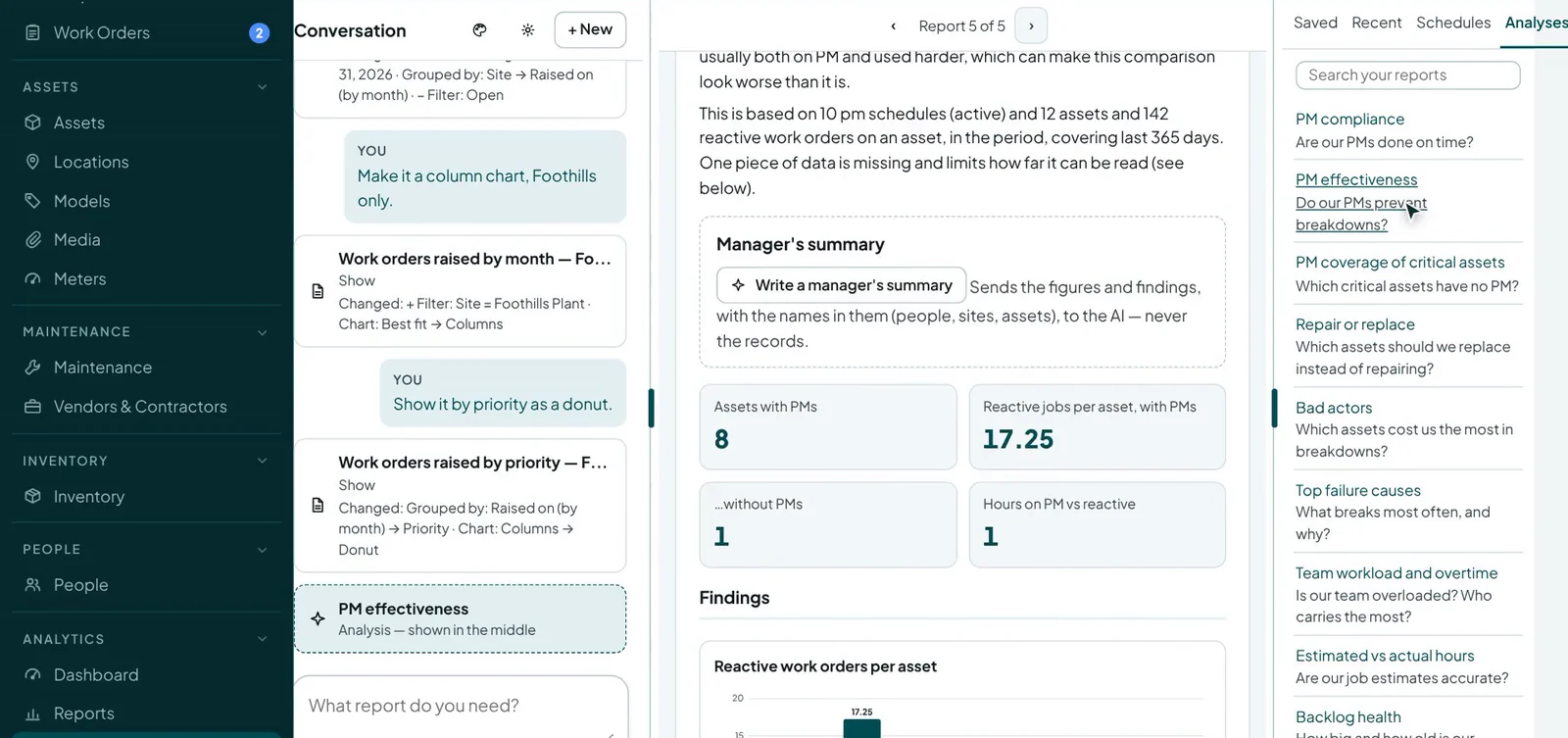
Ready-made analyses, grouped by area from preventive maintenance and assets to the team, inventory and requests:
- Are our PMs done on time, and do they really prevent breakdowns?
- Which assets fail the most, and should we repair or replace them?
- Is the team overloaded, and are our time estimates realistic?
- Is the backlog growing?
- Are we running low on critical parts?
Each analysis starts with a clear verdict and a one-sentence answer, then the findings and practical recommendations. Change the period or the site and it updates right away, or simply ask in the chat: “Should we repair or replace our worst pump?”
Shown with sample data.
Shown with sample data.
Trust
Nothing is a black box
Every number is calculated from your own records, and every analysis shows how:
- The records it read, and for which period.
- The factors and rules it used.
- The calculations, so you can check every figure.
- What data was missing, and how that limits the answer.
When the data isn’t there, Zenith says so. It doesn’t guess: it tells you exactly which data it needs, so the next answer can be a real one.
Library and schedules
Save it once, get it every week
Save useful reports
Saved reports sit next to your recent ones and open again with today’s data.
Schedule them
For example, every Monday at 7:00, as a PDF, to your supervisors.
Always current
Periods like “last month” move forward with each run, so a scheduled report is never out of date.
Control
You stay in control
AI Reports works on your own records, with each person’s own permissions, so people only see what they’re already allowed to see.
Administrators decide what the AI is allowed to do for the whole organization, such as writing a manager’s summary or reading an attached file. Both are off until an administrator turns them on.
- Your records stay in Zenith, hosted in Canada.
- The AI receives your question and the names it needs to understand it (field names, sites, assets), never the rows of your records.
- Optional features send report totals or an attached file to the AI service, which may process them outside Canada. They stay off unless you choose them.
See AI Reports with your own data
We’ll show you the reports and analyses on your own sites, assets and PM schedules.