



Somebody in the leadership team has read that occupancy sensors are how serious organisations measure their buildings, and now there is a line in next year’s budget. Before it gets spent, it is worth separating two questions that sound identical and are not. Occupancy sensors answer one of them very well and the other not at all.
This is a practical guide for Canadian buyers: what the different kinds of sensor actually measure, what booking data already gives you for free, the costs nobody puts in the quote, and what Canadian privacy law expects before you mount anything on a ceiling.
The two questions occupancy sensors and bookings answer
Write both on a whiteboard. They lead to completely different purchases.
- “Was this space used?” A booking plus a check-in answers this. Somebody reserved the room, somebody confirmed they were there, and if nobody confirmed, the room went back on the plan.
- “How many people were in it?” Only an instrument in the room answers this. No booking system can tell you that four people sat in a six-seat room, because nobody told it.
Most business cases turn out to rest on the first question. People reach for the second because it sounds more rigorous. If your actual decision is whether to keep a floor, the first question plus a peak-day figure usually settles it.
What occupancy sensors actually measure
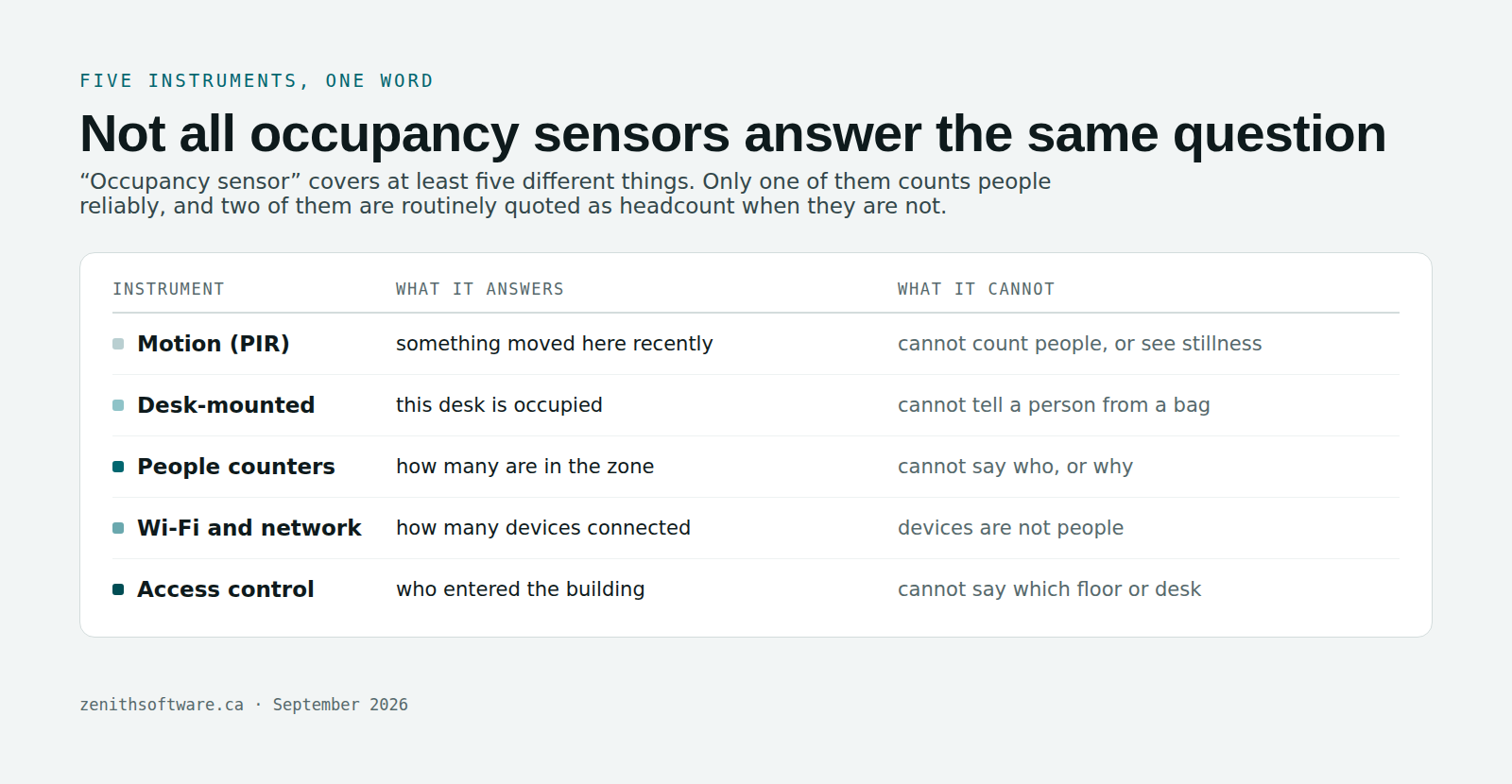
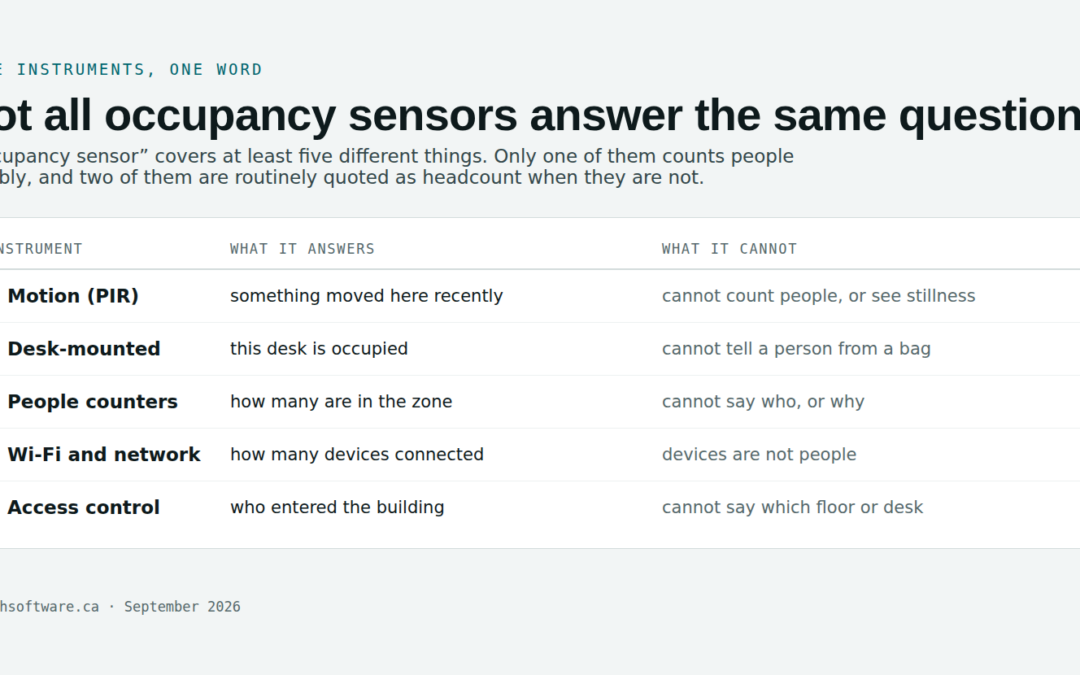
“Occupancy sensor” covers at least five different instruments, and they are not interchangeable.
| Instrument | What it answers | What it cannot |
|---|---|---|
| Motion (PIR) | Something moved here recently | Count people; notice someone sitting still |
| Desk-mounted | This particular desk is occupied | Tell a person from a bag on a chair |
| People counters (thermal, depth) | How many crossed a line or sit in a zone | Say who, or why they were there |
| Wi-Fi and network | How many devices connected where | Count people — most staff carry two or three devices |
| Access control and badge lines | Who entered the building, and when | Say which floor or desk they went to |
Two traps live in that table. Wi-Fi counts get quoted as headcount and inflate it badly. And motion sensors report an empty room when the meeting is a quiet one, which produces exactly the wrong answer about your quietest, most focused spaces.
What booking data gives you with no hardware
Bookings plus check-in produce three things, and the third is the one sensors cannot match. Whether those three belong in a booking tool or a full platform is covered in IWMS software, CAFM or a booking tool.
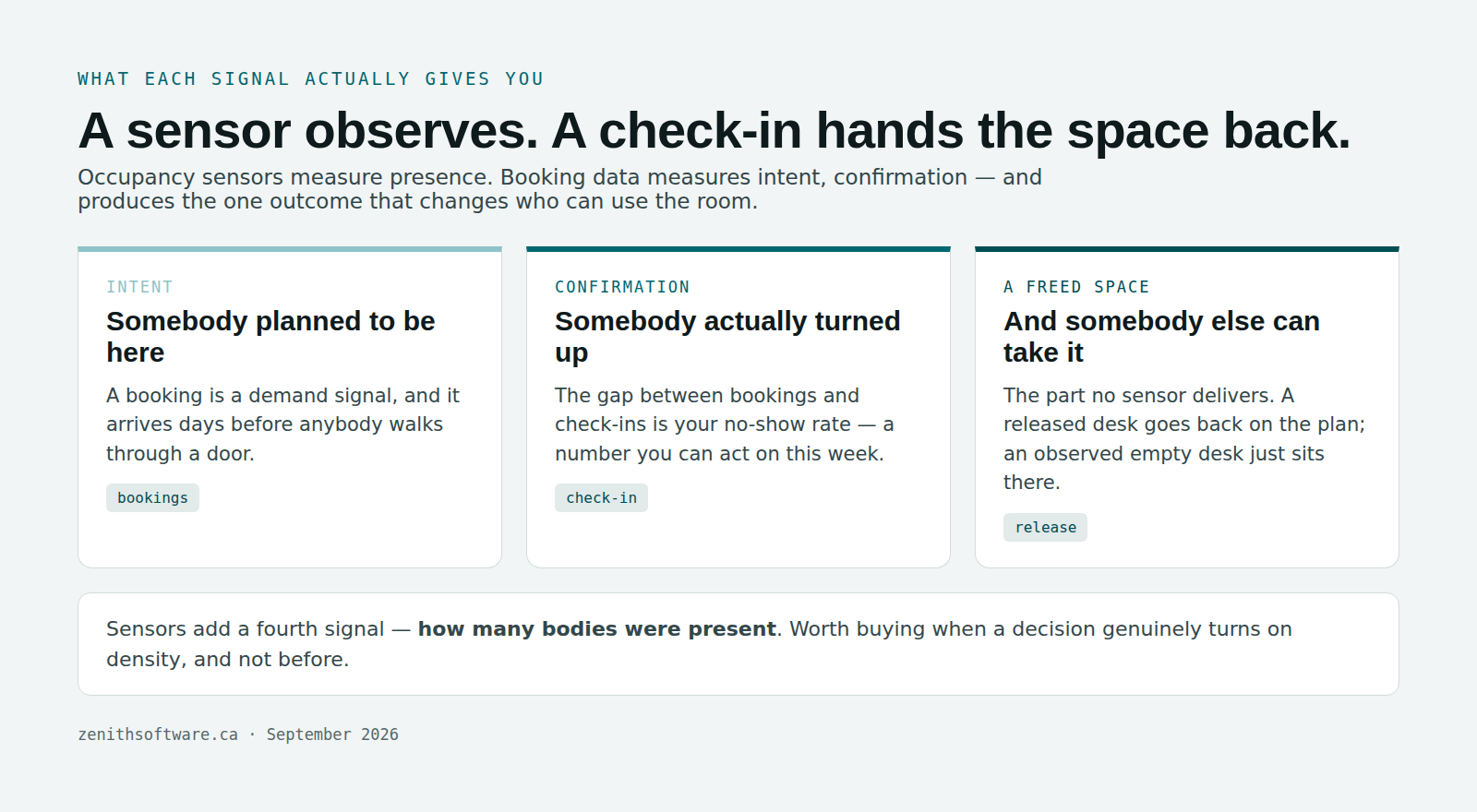
- Intent. Somebody planned to be there. That is a demand signal, and it arrives days before anybody walks through a door.
- Confirmation. A check-in says the plan held. The gap between bookings and check-ins is your no-show rate, which is a number you can act on this week.
- A freed space. This is the difference that matters operationally. When a booking is released, the desk goes back on the plan and somebody else takes it. A sensor watching an empty desk changes nothing about who can use it.
If your complaint is “we can never find a room”, that third line is the fix, and no sensor delivers it. We covered the mechanics in meeting room no-shows and ghost bookings.
Five questions before you buy occupancy sensors
- What decision changes? Name the decision the data will settle. “Give up floor 3” is a decision. “Better visibility” is not.
- Would a peak-day figure settle it? You size a floor for its busiest day, not its average. Bookings already give you that.
- Do you need room-level counts or building-level counts? Building-level is far cheaper and often enough.
- Who maintains them in year three? Someone has to replace batteries, re-calibrate and chase failures. Name them now.
- Can you answer the privacy questions? If not, that work lands before installation, not after.
Two yeses or fewer and you are buying instruments to answer a question nobody asked.
What occupancy sensors cost that nobody quotes
The per-unit price is the easy part. These are the lines that show up later:
- Installation. Mounting, cabling or gateways, plus an electrician and after-hours access in an occupied building.
- Batteries. Wireless units need replacing on a cycle. Multiply by the number of units and by the years you plan to run them.
- Calibration and false readings. Someone tunes the thresholds, and someone fields “the sensor says my office is empty”.
- Network. Gateways, coverage in awkward corners, and a conversation with IT about what joins the network.
- Privacy work. An assessment, a notice to staff, a retention rule. Real hours, usually from people who are already busy.
- Data plumbing. Sensor output means nothing until it maps to your space register. That mapping has to be built and then maintained through every fit-out.
Get all six quoted before you compare vendors. The hardware is rarely where the money goes.
Occupancy sensors and Canadian privacy law
Sensor data about where people are is personal information when it can be linked to a person, and desk-level sensors plus assigned desks link very easily.
The Office of the Privacy Commissioner’s workplace privacy guidance sets out what employers owe staff. Tell people what you collect and why. Collect only what the stated purpose needs. Do not repurpose it later without asking again. And weigh the benefit against the cost, including the cost to trust — the guidance is explicit that a blanket waiver buried in an employment contract is not consent.
Four practical consequences for a sensor project:
- Aggregate by default. Report by floor, zone and space type. Resist per-person views even when a vendor offers them.
- Say whether it touches attendance management. Staff will assume it does unless you say otherwise. Answer the question before it is asked.
- Set a retention period and enforce it. Sensor data accumulates fast and ages badly.
- Check your province. Quebec’s Law 25 adds obligations, and PIPEDA is the federal floor, not the ceiling.
How the integration should work
Where sensors earn their place, they belong alongside the bookings rather than instead of them. Three things to insist on:
- The sensor feed maps to your space register — your site, building, floor and space identifiers, not the vendor’s. Anything else breaks at the first fit-out.
- You can export the raw readings with timestamps. Aggregated dashboards you cannot audit are how disputed numbers start.
- Bookings stay the operational record. Sensors inform the analysis. They should not quietly become the divisor in your utilisation figure — and if the divisor changes, every trend line before it becomes meaningless. That trap is covered in how to calculate space utilisation.
Questions people actually ask
Do we need occupancy sensors to measure utilisation?
No. Utilisation is bookings divided by bookable space-days, and check-in tells you which of those bookings people honoured. Sensors add a different measurement — how many bodies were present — which matters for density and right-sizing rooms, not for whether a floor is used.
What is the difference between occupancy sensors and badge data?
Badge data tells you somebody entered the building. Sensors tell you a specific space was occupied. Badge data is usually already available and costs nothing extra, so check it first — for many buildings it answers the attendance question well enough.
Are occupancy sensors legal in Canada?
Generally yes, with obligations attached: tell staff, limit collection to the stated purpose, keep it proportionate, and honour provincial rules. Anonymous people-counting at a zone level sits at the comfortable end. Desk-level sensors tied to named occupants sit at the other. We are a software company, not your privacy counsel — have yours review the design before installation.
Do occupancy sensors replace check-in?
They should not. A sensor can tell you a desk sat empty. Only a check-in rule can hand that desk back to somebody who wants it. Keep the release mechanism whatever else you add.
How accurate are occupancy sensors?
It depends entirely on the type. Zone people-counters do well at counting. Motion sensors miss stationary people. Wi-Fi counts devices rather than humans. Ask any vendor for accuracy figures in a room like yours, measured against a manual count, and treat a refusal as an answer.
Can we start without sensors and add them later?
Yes, and it is usually the right sequence. Run bookings and check-in for a quarter first. You will find out whether the remaining question is worth hardware, and you will have a baseline to judge the sensors against when they arrive.
Where to start
Write down the decision you are trying to make. Then check whether a peak-day booking figure already settles it. If it does, you have saved a capital project. If it genuinely does not — some campuses and large estates need real density data — you now have a scoped question to take to vendors, instead of a budget line looking for a purpose. Our guide to workplace software in Canada covers what to ask those vendors.
When that point comes, sensor, badge-line and building-system feeds connect to Zenith Workplace through the same integration layer as our CMMS package, scoped as project work rather than shipped switched on. Until then, the booking record does more of the job than most people expect.
Published by Zenith Software Corp., Victoria, British Columbia · September 2026. Practical guidance, not legal advice. We verified the external references in September 2026.