



Every guide to workplace software in Canada has the same problem: the company writing it sells one of the products on the list. Ours is no different — we build one of them. So rather than ask you to trust us, this guide is written to be useful even if you buy somebody else’s product, and we have named what ours cannot do alongside what it can.
There is no single best platform. There is a best one for the job you are actually trying to do, and the fastest way to waste a quarter is to buy a desk-booking app when the problem was that nobody knows how many rooms the building has.
What workplace software in Canada means in 2026
The category has quietly split into three, and the products in each are not substitutes for one another. If you are not yet sure which of the three you are shopping for, IWMS software, CAFM or a booking tool walks through that decision in more detail.
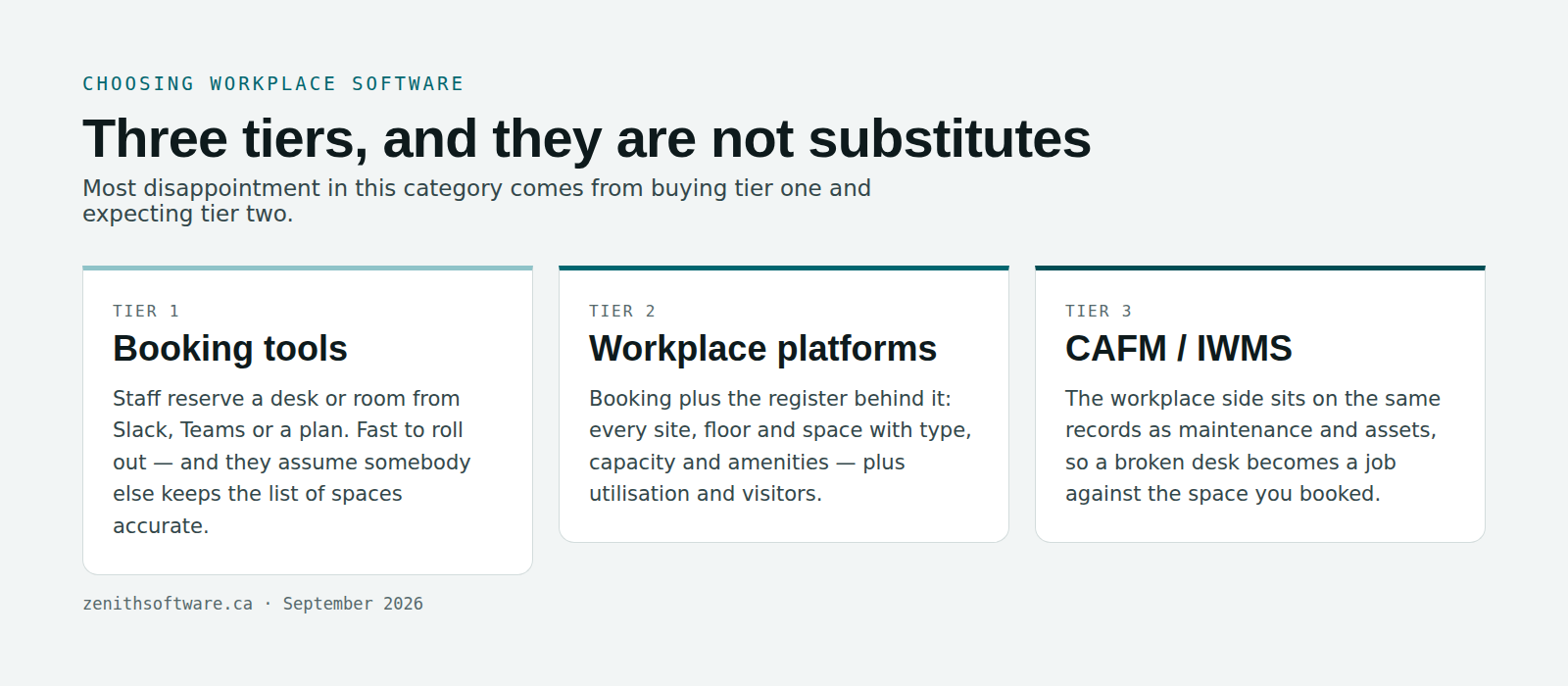
- Booking tools. Staff reserve a desk or a room, usually from Slack, Teams or a floor plan. Quick to roll out, cheap per head, and they assume somebody else already maintains an accurate list of spaces.
- Workplace platforms. Booking plus the register behind it: every site, floor and space with its type, capacity and amenities, plus utilisation reporting and visitor handling.
- CAFM / IWMS suites. The workplace side sits on the same records as maintenance, assets and work orders, so a broken desk becomes a job against the same space you booked.
A booking tool sitting on a spreadsheet of desks will disagree with the building inside a quarter, because nothing forces the spreadsheet to stay true. Deciding which tier you are shopping in is the single most useful thing you can do before comparing workplace software in Canada at all.
Seven questions to ask before you shortlist workplace software in Canada
Canadian organisations — particularly public sector, broader public sector, healthcare and anyone handling personal information under PIPEDA or Quebec’s Law 25 — work from a different checklist than the one most vendor sites are written against. These seven narrow the field for workplace software in Canada faster than any feature matrix.
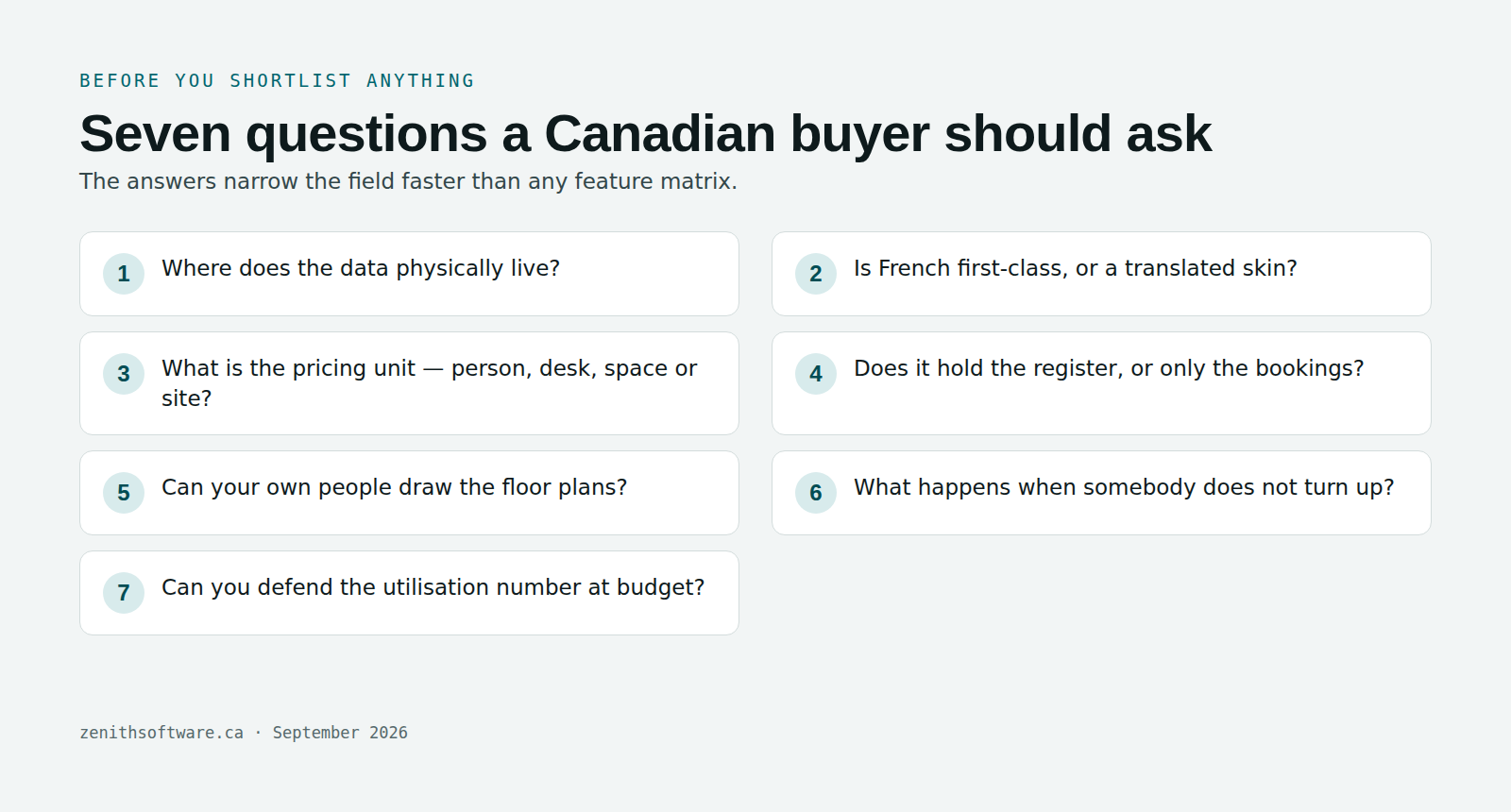
1. Where does the data physically live?
Not “where is the company” — where are the servers. Several strong products in this category host in the United States or the EU. That is not a flaw, but if your procurement rules require Canadian data residency it is a hard filter, and it should be the first question you ask, not the last. The Office of the Privacy Commissioner’s summary of PIPEDA requirements is a sensible starting point for what the law does and does not demand.
2. Is French first-class, or a translated skin?
There is a real difference between an interface that has been translated and a product where a French user reads French labels, French notifications and French exports. Ask to see a French user’s notification email, not the marketing site in French.
3. What is the pricing unit?
This decides your bill more than the headline rate. Per employee, per desk, per space and per site all scale very differently. A per-desk model punishes you for holding an accurate register; a per-employee model punishes you for growing. Model your own numbers over three years before comparing rates.
4. Does it hold the register, or only the bookings?
Ask where the list of spaces lives. If the answer is “you import a spreadsheet”, you now own two sources of truth about your own building, and only one of them gets updated after a fit-out.
5. Can your own people draw the floor plans?
Some vendors draw your plans for you as a professional service. That is fine on day one and expensive on the day you move a wall. Ask specifically whether your staff can upload a PDF or CAD plan and link spaces themselves, in the browser, without a drafting licence or a support ticket.
6. What happens when somebody books a desk and does not come in?
This is the question that separates tools that survive year two. Without check-in and automatic release, your floor plan slowly fills with bookings nobody honoured, people stop trusting the screen, and within a couple of months the floor is being run out of a group chat. Ask how long a booking is held without a check-in, who releases it, and whether the release is recorded.
7. Can you defend the utilisation number in a budget meeting?
“The floor runs at 47%” invites exactly one follow-up: forty-seven per cent of what? Ask what the divisor is, whether long-term assigned desks are counted, and what the product does about floors that have not been drawn yet. A system that quietly treats an undrawn floor as an empty one will hand you a number that loses the meeting.
The shortlist: ten options for workplace software in Canada
These are the products Canadian buyers most often end up comparing in 2026. They are grouped by what they are for, not ranked, because the ranking depends entirely on your answers above. Certifications, hosting regions and prices change — confirm the ones that matter to you directly with each vendor rather than taking any comparison page’s word for it, including this one.
Robin
A mature workplace platform with strong floor-plan tooling and analytics, aimed at larger organisations. Quote-based annual pricing. A good fit if you have a big estate and a dedicated workplace team; heavier than most smaller offices need.
Envoy
Grew out of visitor management and front-desk workflows, and it still shows in the best way — if reception, guests and deliveries are as much of your problem as desks, it covers ground others do not. Priced by resource.
Skedda
Known for a genuinely flexible rules engine, which makes it a strong choice where allocation is complicated: shared tenancy, mixed community and staff use, unusual booking policies. Priced by space rather than by person, which suits estates with many users and fewer bookable spaces.
deskbird
Clean per-user pricing, neighbourhoods and team-coordination features aimed at hybrid teams deciding which days to come in together. Publicly documents EU hosting, which is worth checking against your own residency requirements.
OfficeRnD Workplace
Strong in flexible and shared-space environments, with roots in coworking operations. Worth a look if part of your estate is let, shared or operated like a flexible workspace.
YAROOMS
Covers desks, rooms, hybrid scheduling and visitors in one tool, with tiering by users and locations. A reasonable middle ground for mid-sized organisations that want more than a booking app without an enterprise rollout.
Officely
Lives inside Slack and Microsoft Teams rather than asking people to open another app. If your only real problem is “who is in on Thursday”, this is the least disruptive answer on the list — and it is not trying to be your space register.
Archie
Aimed at hybrid offices and flexible workspaces, covering desks, rooms and visitors with a well-regarded interface. Often shortlisted alongside deskbird and Skedda by organisations of similar size.
Nspace
Built in Canada, covering desk booking and visitor management. Worth having on any shortlist for workplace software in Canada for that reason alone — ask them directly about hosting region and French support, as you should ask everyone.
Zenith Workplace — ours, and here is the honest version
We build this one. It is a Canadian-owned, Canadian-hosted workplace module that sits on the same platform as our maintenance, asset and work-order modules, so a space is one record whether somebody is booking it or fixing it. English and French are both first-class, and it is priced by administrator seats rather than by desk, site or employee, so reservation-only users cost nothing. Public bodies in Ontario often raise the Broader Public Sector accountability rules and Buy Ontario expectations at this point in a procurement, and we are built to answer both.
What it is not: out of the box it measures what was booked and checked into rather than counting bodies — sensor, badge-line and building-system feeds connect through the same integration layer as our CMMS package, scoped as project work rather than shipped switched on. It will not tell you cost per desk, because floor area and lease cost are not in the product and we would rather say “not computed” than divide by something convenient. And there are no room panels or wayfinding displays yet — booking from a tablet outside a room is a browser page. If a platform on the list above is the better fit for what you are trying to do, we will say so on the call. Where counting bodies genuinely matters, our comparison of occupancy sensors versus booking data sets out what each instrument can and cannot answer.
Comparing workplace software in Canada without getting lost
Pricing models and category are the two attributes that stay stable long enough to be worth tabulating. Everything else — feature lists, certifications, hosting regions — moves, and should be confirmed with the vendor at the time you buy. Read the table as a map of the workplace software in Canada landscape rather than a scoreboard.
| Product | Category | Pricing unit | Often chosen for |
|---|---|---|---|
| Robin | Workplace platform | Quote | Large estates, analytics depth |
| Envoy | Workplace + visitors | Per resource | Reception and guest workflows |
| Skedda | Booking, rules-led | Per space | Complicated allocation policies |
| deskbird | Workplace platform | Per user | Hybrid team coordination |
| OfficeRnD Workplace | Workplace / flex space | Tiered | Shared and let space |
| YAROOMS | Workplace platform | Tiered | Mid-sized, all-in-one |
| Officely | Booking, chat-native | Per user | Lightest possible rollout |
| Archie | Workplace / flex space | Per user | Hybrid offices, ease of use |
| Nspace | Booking + visitors | Per user | Canadian-built option |
| Zenith Workplace | Workplace on a CAFM platform | Admin seats | Canadian hosting, bilingual, maintenance on the same records |
How to run the evaluation in a fortnight
Long RFPs in this category tend to produce feature matrices that everybody passes. A shorter test separates the products much faster.
- Pick one floor — ideally the one nobody can account for.
- Bring one week of real bookings, not sample data. Sample data never contains the awkward cases.
- Ask each vendor to draw that floor in front of you. You are testing how much of it needs them.
- Ask them to refuse a booking — one that breaks your own policy, such as a room held for six hours where the limit is four. Read the refusal. Could an employee act on it without calling facilities?
- Ask for the utilisation figure and its divisor, then ask what happens to a floor that has not been drawn.
- Ask what a no-show costs you — how long the space stays held, and whether anybody has to intervene to free it.
Questions people actually ask
What is the best workplace software in Canada?
The honest answer is that it depends on which of the three tiers you are shopping in, and whether Canadian data residency and French are requirements or preferences. A Slack-native booking tool is the best choice for a company whose only question is who is in on Thursday, and the worst choice for an organisation that cannot produce an accurate list of its own rooms. Work through the seven questions above and the field usually narrows to two or three names.
Is Canadian data residency legally required?
Generally no, not as a blanket rule under federal law — PIPEDA permits transfers across borders with appropriate safeguards and accountability. But specific provincial rules, sector rules and individual procurement policies can require it, and many public bodies impose it by contract. Treat it as a question for your own privacy officer and procurement team rather than a vendor’s marketing claim. We are a software company, not your legal advisers.
Do we need sensors to measure occupancy?
Only if your question is genuinely about people who never booked anything. Check-in and automatic release answer “was the booked space actually used” without hardware, and they produce something sensors cannot: a freed space somebody else can take immediately. Sensors answer a different and more expensive question.
How long does implementation take?
For a small estate, a realistic range is two to six weeks depending on how many floors need drawing and how settled your booking policies are. The drawings and the policy decisions are almost always the critical path — not the software.
Can assigned desks and hot desking coexist?
They should, because almost every real organisation has both. The thing to check is whether assigned desks are excluded from the bookable count in reporting. If they are not, your utilisation figure is wrong in a direction that flatters the estate.
What about Microsoft 365 and Teams?
Nearly everything on this list integrates with Outlook and Teams to some degree. The useful question is narrower: does a room booking made in the product appear on the meeting, and does a booking made in Outlook appear in the product? Ask to see both directions.
Where to start with workplace software in Canada
Pick the floor nobody can account for, get a week of real bookings, and make two or three vendors show you the same thing with it. Whichever way you go, you will learn more in that fortnight than in three months of comparing workplace software in Canada on feature lists.
If a Canadian-owned, Canadian-hosted, bilingual option on the same platform as your maintenance and asset records belongs on your list, ours is Zenith Workplace — and if it is the wrong fit for you, we would rather tell you on the call than in month four.
Details in this guide were checked in September 2026. Product categories, pricing models, hosting regions and certifications change; confirm anything that matters to your decision directly with the vendor.
A buyer’s guide to workplace software in Canada — published by Zenith Software Corp., Victoria, British Columbia · September 2026