


In today’s hybrid workplace, organizations rely on space booking software to manage desks, meeting rooms, and shared spaces efficiently. This technology streamlines reservations, reduces scheduling conflicts, and improves space utilization.
This is where space booking software becomes indispensable.
Modern space booking platforms help organizations streamline reservations, visualize availability, reduce conflicts, and optimize how every square foot is used. In this comprehensive guide, we’ll explore:
- What space booking software is
- Why organizations need it
- The essential features every solution must include
- The best space booking software options available today
- Why Zenith, developed by Zenith Software, is one of the strongest choices — especially with its floor‑plan‑based booking capabilities and CAFM ecosystem integration
Let’s dive in.
What Is Space Booking Software?
Space booking software is a digital platform that allows organizations to publish, search, reserve, and manage physical spaces such as:
- Meeting rooms
- Desks and hoteling stations
- Collaboration areas
- Huddle rooms
- Training rooms
- Parking stalls
- Lockers
- Event spaces
The Space reservation systems, these platforms typically include calendar‑aware booking, capacity rules, floor‑plan visualizations, mobile access, check‑in workflows, and analytics to help teams manage who uses which spaces and when.
In short: it’s the backbone of a modern, flexible workplace.
Why Organizations Should Use Space Booking Software
1. Optimize Space Utilization
Most organizations dramatically underuse their real estate. Hybrid work has made this even more pronounced. Space booking software provides:
- Real‑time visibility into which spaces are used
- Data‑driven insights into peak times
- Identification of underutilized rooms or desks
This helps reduce wasted space and can even support downsizing or reconfiguration.
2. Reduce Scheduling Conflicts
Double‑booked meeting rooms are a productivity killer. Automated booking eliminates:
- Overlaps
- Manual coordination
- Miscommunication
Employees can instantly see what’s available and reserve it without friction.
3. Improve Employee Experience
A smooth booking experience boosts satisfaction. Employees can:
- Find a desk when they come into the office
- Reserve a meeting room on the fly
- Check availability from their phone
- Navigate the office using interactive floor plans
This is especially important in hybrid workplaces where predictability matters.
4. Support Health, Safety & Compliance
Post‑pandemic workplaces require:
- Capacity limits
- Social distancing
- Contact tracing
- Cleaning workflows
Space booking software automates these processes and ensures compliance.
5. Reduce Administrative Workload
Facilities teams no longer need to manually manage:
- Room calendars
- Desk assignments
- Visitor access
- Equipment requests
Automation frees staff to focus on higher‑value tasks.
6. Enable Data‑Driven Facility Planning
With detailed analytics, organizations can:
- Forecast space needs
- Plan renovations
- Justify real estate decisions
- Improve workplace design
This transforms facilities management from reactive to strategic.
Essential Features Every Space Booking Software Must Have
Not all platforms are created equal. Based on industry standards and capabilities highlighted by Zenith’s space scheduling suite , here are the must‑have features:
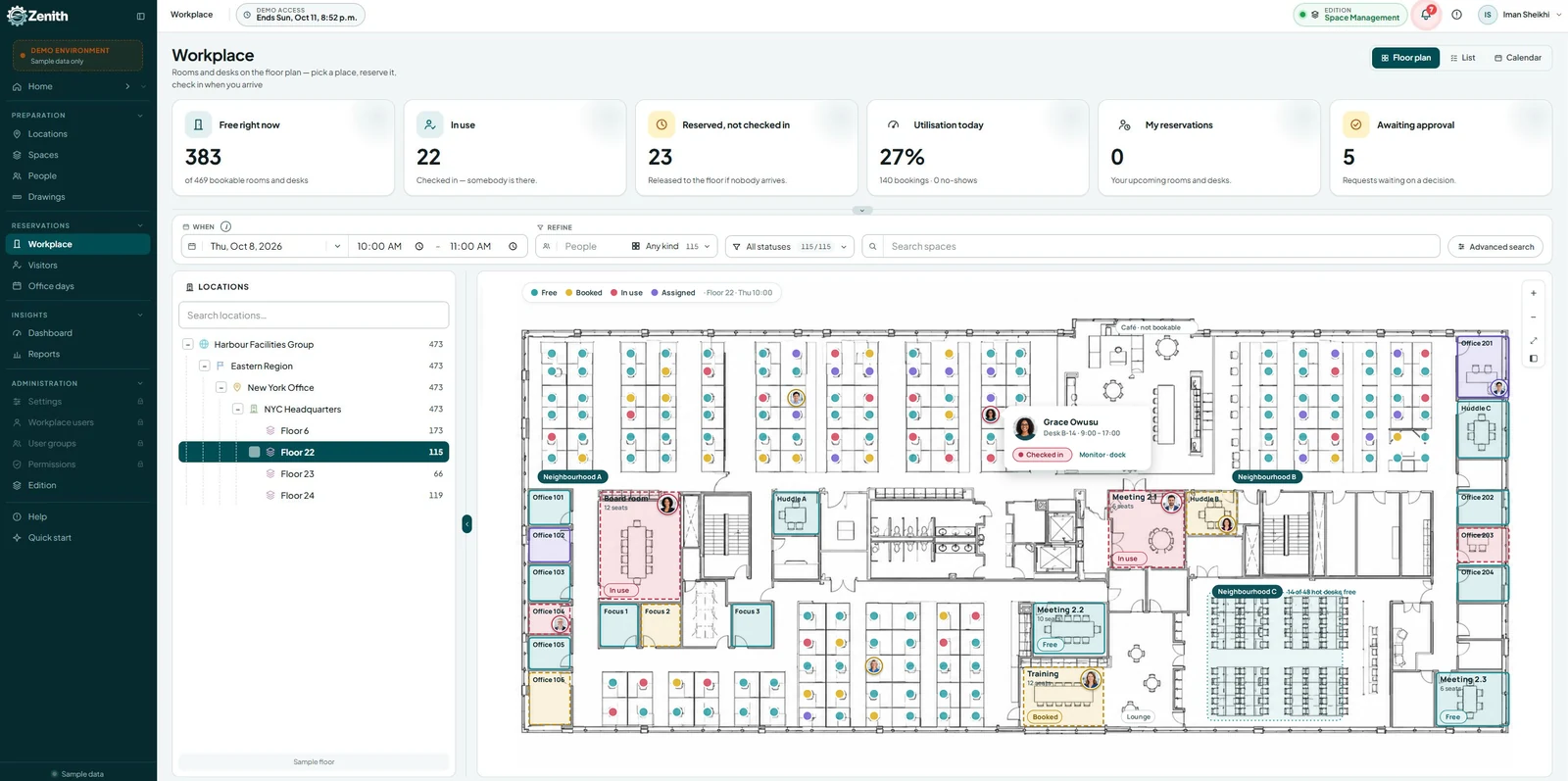
1. Interactive Floor Plan Booking
This is one of the most powerful features — and one of Zenith’s biggest strengths.
Users should be able to:
- View the office layout
- See available desks or rooms visually
- Click directly on a space to reserve it
This reduces confusion and improves accuracy.
2. Desk & Room Scheduling
A robust system must support:
- Desk hoteling
- Hot‑desking
- Meeting room reservations
- Recurring bookings
- Multi‑day reservations
3. Mobile Access
Employees need to book from anywhere. Mobile apps or responsive web interfaces are essential.
4. Calendar Integrations
Integration with:
- Outlook
- Google Calendar
- Microsoft 365
ensures seamless scheduling.
5. Check‑In & No‑Show Handling
To prevent ghost bookings, the system should:
- Require check‑in
- Auto‑release unused spaces
- Track no‑show patterns
6. Approval Workflows
For controlled spaces, the system should support:
- Manager approvals
- Automated routing
- Custom rules
7. Analytics & Reporting
Organizations need insights such as:
- Utilization rates
- Peak usage times
- Space demand trends
- Department‑level usage
8. Multi‑Location Support
Enterprises with multiple offices need centralized management.
9. Integration With Facility Management Systems
This is where Zenith excels — it’s part of a full CAFM ecosystem.
Top Space Booking Software Options in 2025
Here are some of the leading platforms in the market today:
| Software | Strengths | Best For |
|---|---|---|
| Zenith | Floor-plan booking, CAFM integration, bilingual support, mobile access, analytics | Enterprises, government, education, healthcare |
| Robin | Desk booking, hybrid work tools | Mid-size companies |
| Envoy | Visitor management plus room booking | Offices with high visitor traffic |
| Skedda | Simple room and desk booking | Small businesses |
| OfficeSpace | Workplace management suite | Large organizations |
| EZBook | Simple, intuitive booking system | General business use |
While each platform has strengths, Zenith stands out for organizations that need deep facility management capabilities and visual floor‑plan‑based booking.
Why Zenith Is a Leading Space Booking Software Solution
Zenith is a powerful, browser‑based CAFM and space scheduling platform designed for organizations that need more than basic booking functionality.
Here’s why it’s a top choice:
1. Floor‑Plan‑Based Booking (A Major Advantage)
Unlike many booking tools, Zenith allows users to:
- Navigate the actual floor plan
- Click on desks, rooms, or zones
- View real‑time availability
- Reserve directly from the layout
This reduces errors and helps employees orient themselves in the space.
2. Part of a Full CAFM Ecosystem
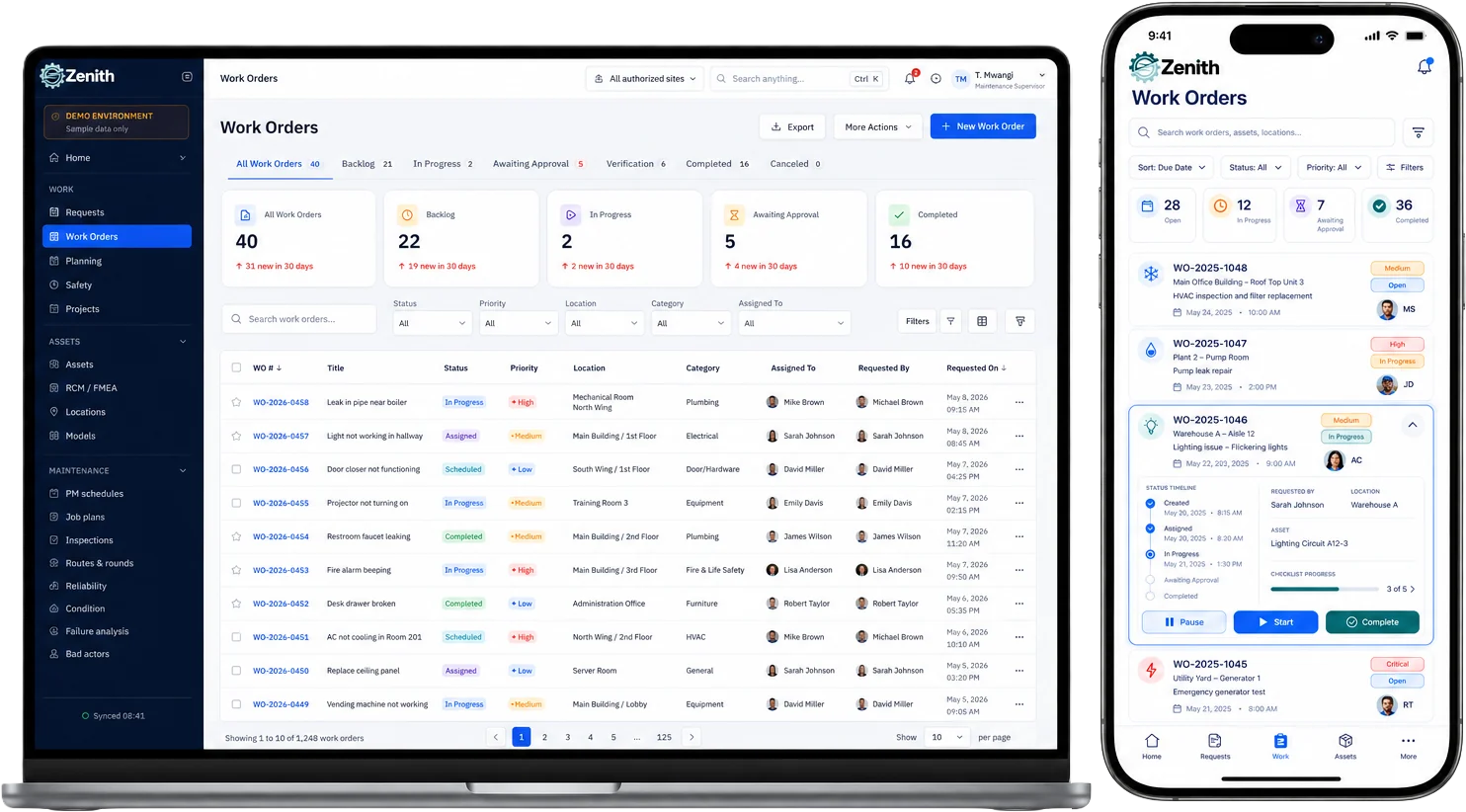
Zenith isn’t just a booking tool — it’s a complete facility management platform that includes:
This makes it ideal for organizations that want one unified system rather than multiple disconnected tools.
3. Designed for Canadian Organizations (But Used Globally)
Zenith offers:
- Bilingual English/French support
- Compliance with Canadian standards
- Local support from Zenith Software
This is a major advantage for government, education, and enterprise clients in Canada.
4. Easy to Use & Highly Visual
The Space Scheduler interface is designed for simplicity:
- Clear availability indicators
- Intuitive controls
- Fast booking workflows
- Mobile‑friendly design
Employees can quickly find available desks or rooms and reserve them for the day or time they need.
5. Scalable for Any Organization
Whether you manage:
- A single office
- A multi‑building campus
- A nationwide portfolio
Zenith scales effortlessly.
6. Real‑Time Analytics
Zenith provides insights into:
- Desk usage
- Room occupancy
- Trends over time
- Departmental usage patterns
This helps organizations make smarter real estate decisions.
Frequently Asked Questions (FAQ)
1. What is space booking software?
Space booking software is a digital system that allows organizations to publish, search, and reserve physical spaces such as desks, meeting rooms, and collaboration areas.
2. Who needs space booking software?
Any organization with shared spaces — corporate offices, universities, government agencies, healthcare facilities, coworking spaces — benefits from it.
3. What are the key features to look for?
Interactive floor plans, desk/room scheduling, mobile access, calendar integration, analytics, check‑in workflows, and multi‑location support.
4. Why is floor‑plan booking important?
It helps employees visually understand the space, reduces booking errors, and improves navigation.
5. What makes Zenith different?
Zenith combines space booking with full CAFM capabilities, offers floor‑plan‑based booking, and provides bilingual support — making it ideal for enterprise and public‑sector organizations in Canada.
6. Can Zenith integrate with other systems?
Yes. It integrates with calendars, facility management workflows, and other enterprise systems.
7. Is Zenith suitable for hybrid workplaces?
Absolutely. It supports desk hoteling, hot‑desking, flexible scheduling, and real‑time availability.
8. Does Zenith work on mobile devices?
Yes. It’s browser‑based and mobile‑friendly for on‑the‑go booking.