


Maintaining equipment, tracking work orders, and managing spare parts can overwhelm even the tiniest of businesses. That’s why using CMMS software for small businesses is no longer optional—it’s essential. A Computerized Maintenance Management System (CMMS) automates these tasks—turning chaos into clarity. In this post, we’ll explore whether small enterprises truly need a CMMS, break down implementation costs, quantify ROI, highlight technical benefits, and show how an affordable solution like Zenith can fit your budget. We’ll also spotlight ten types of small organizations that stand to gain massively from CMMS but often overlook it.
Why CMMS Software for Small Businesses Is Essential?
Many small businesses assume maintenance software is only for large enterprises with sprawling facilities. In reality, even companies with a handful of assets—say, a single boiler, a few HVAC units, or basic production machinery—face challenges that spreadsheets and sticky notes simply can’t solve. Unscheduled downtime, misplaced work orders, and last-minute parts hunts add stress and hidden costs that compound quickly, eating into both profit and peace of mind.
Common Pain Points Without a CMMS
- Manual Scheduling Errors
Relying on calendars or paper checklists means preventive tasks slip through the cracks. When maintenance techs aren’t automatically reminded, equipment ages faster and failures become routine. - Lost or Forgotten Work Orders
A spreadsheet row accidentally deleted or a print-out left on someone’s desk can translate into hours of unplanned downtime when critical repairs go unnoticed. - Untracked Spare Parts
Over-ordering ties up capital in stock you don’t need. Under-ordering stalls operations when an essential bearing or filter runs out. - Inefficient Labor Allocation
Without digital logging, technicians waste time chasing down paper-based history or retracing steps—often resulting in double visits or unfinished jobs. - Poor Visibility and Reporting
Piecing together costs, labor hours, and failure trends from disparate sources makes it nearly impossible to identify recurring issues or plan for capital expenses.
Signs Your Business Is Ready for a CMMS
- You’re experiencing more than one unplanned breakdown per month. Even a single hour of downtime on a critical asset can cost hundreds or thousands of dollars in lost productivity.
- Maintenance requests are piling up in email threads, sticky notes, or group chats, and none of these methods provide clear ownership or status tracking.
- Technicians report return trips because they didn’t have the right parts or information on the first visit.
- Your leadership team asks for monthly maintenance cost reports or asset-lifecycle forecasts, and hand-compiled spreadsheets can’t keep up.
- Compliance or audit requirements—such as safety inspections or regulatory checks—are becoming a major headache to prove or document.
Implementing a CMMS addresses each of these pain points head-on. By automating reminders, centralizing asset histories, and providing real-time dashboards, small businesses not only eliminate firefighting but also build a foundation for scalable growth. In the next section, we’ll break down the typical costs of getting started and how quickly you can see a return on that investment.
Breaking Down Implementation Costs
Small businesses worry CMMS will break the bank. Here’s how costs usually stack up:
- Software Subscription: Cloud-hosted CMMS often runs $20–$50/user/month.
- Onboarding & Training: One-time fees of $500–$2,000 depending on complexity.
- Data Migration: Converting spreadsheets and manuals can cost $300–$1,000.
- Mobile Devices & Connectivity: If you need tablets on the shop floor, budget $200–$500 per device.
Total first-year investment typically lands between $2,000 and $10,000, depending on your scale. Compare that to a single unplanned machine failure that can easily exceed those figures in lost production.
ROI of CMMS Software for Small Businesses
A CMMS delivers value in three key areas:
- Reduced Downtime
Preventive maintenance can cut unplanned downtime by 30–50%. Every hour your line sits idle can exceed $1,000 in lost revenue—so those savings add up fast. - Extended Asset Life
Regular upkeep extends equipment life by 20–40%, postponing expensive capital investments. - Labor Efficiency
Automated scheduling and mobile work orders save techs up to 2 hours per day, letting them address more repairs or fine-tune preventive tasks.
Even at modest figures, many small businesses see payback within 6–12 months.
Technical Advantages of CMMS for Small Teams
Beyond cost savings, CMMS tools offer capabilities that manual processes simply can’t match:
- Mobile Access: Technicians update work orders on the go—no return trips to the office.
- Built-in Reporting: Instant dashboards on costs, compliance, and technician performance.
- Inventory Management: Automatic alerts when spare parts dip below reorder thresholds.
- Audit Trails & Compliance: Digital records for ISO, OSHA, or local safety inspections.
These features scale down just as effectively as they scale up—small teams get enterprise-grade control without complexity.
How Small Businesses Can Implement CMMS Software
- Assess Your Needs: List your assets, pain points, and must-have features.
- Select a Vendor: Compare pricing, user-friendliness, and support options.
- Pilot Phase: Start with a single department or group of assets.
- Train Your Team: Invest in a half-day workshop to ensure everyone’s up to speed.
- Full Rollout & Review: Go live, track initial wins, and refine task frequencies.
A phased approach minimizes disruption and builds confidence as you reap early wins.
Zenith: Affordable CMMS Tailored to Small Businesses
Zenith was built from the ground up with small teams and tight budgets in mind. Here’s how it delivers enterprise-grade maintenance power without enterprise-grade complexity or cost.
1. Transparent, Low-Entry Pricing
- Subscription starts at $29/user/month with no hidden setup fees.
- All core modules (work orders, preventive maintenance, asset registry, inventory) included—no module-by-module upcharges.
- Flexible plans let you scale up or down each quarter, so you only pay for active users.
2. Rapid, Low-Effort Implementation
- Pre-built Templates: Import asset lists and PM templates from Excel in minutes.
- Guided Setup Wizard: Step-by-step configuration—no specialist consultants required.
- Onboarding Support: Two 1-hour remote coaching sessions included in every plan.
Typical small-business go-live timeline:
- Day 1–2: Import assets & configure PM
- Day 3: Train technicians on mobile app
- Day 5: Fully operational, first PM cycle automated
3. Essential Features without the Fluff
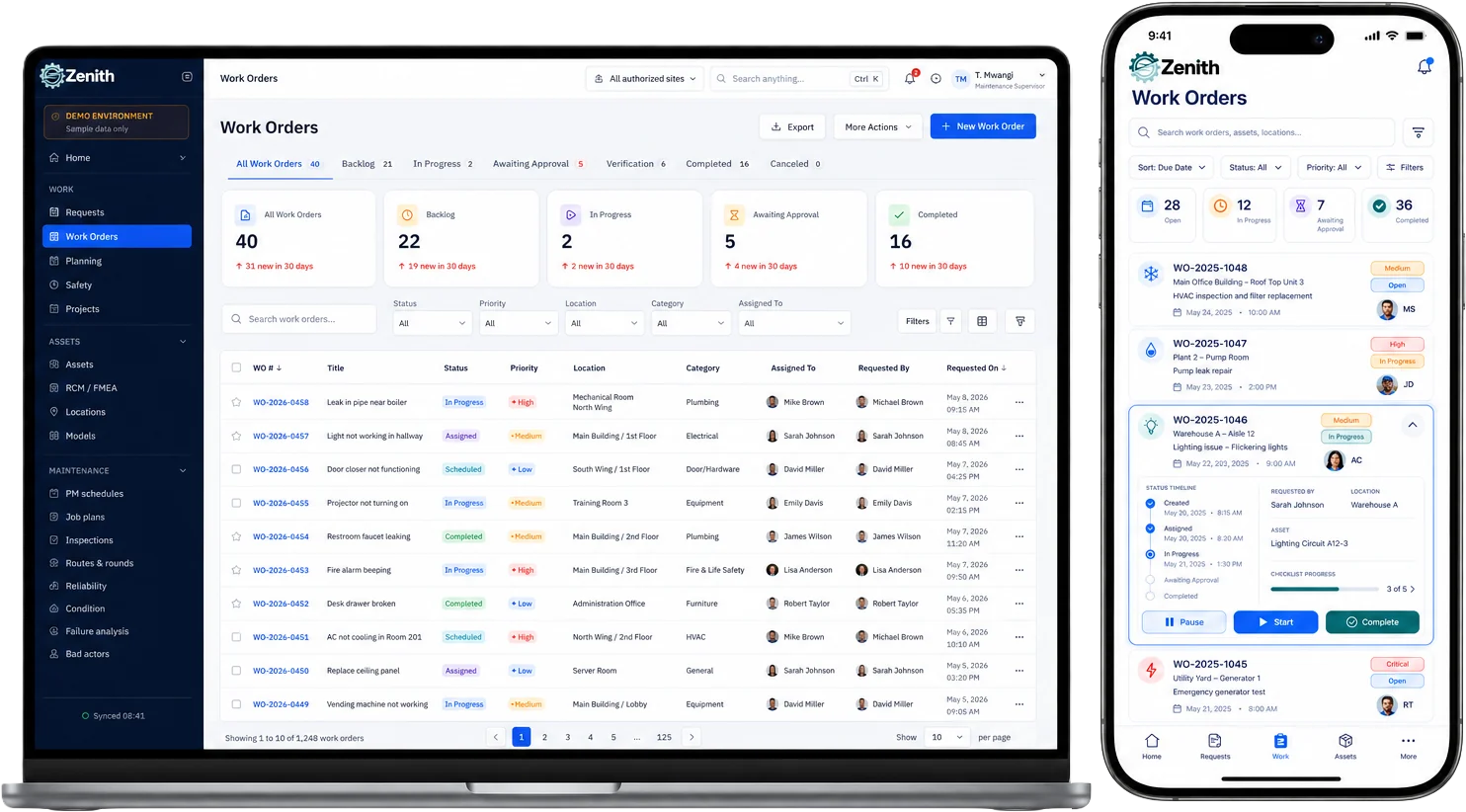
- Work Order Management: Create, assign, track, and close tickets—complete with mobile signatures and photo attachments.
- Preventive Maintenance (PM): Set time- or usage-based triggers to eliminate unplanned downtime.
- Inventory Control: Automatic reorder alerts for spare parts and critical supplies.
- Reporting & Dashboards: Real-time views of cost trends, technician performance, asset health, and compliance logs.
- Mobile-First Interface: Technicians update work orders in the field—even offline—with automatic sync.
4. Scalability & Customization
- Custom Fields & Workflows: Tailor asset records, approval processes, and request intake forms to your exact needs.
- API & Integrations: Connect with accounting (QuickBooks), ERP, or IoT sensors without extra middleware.
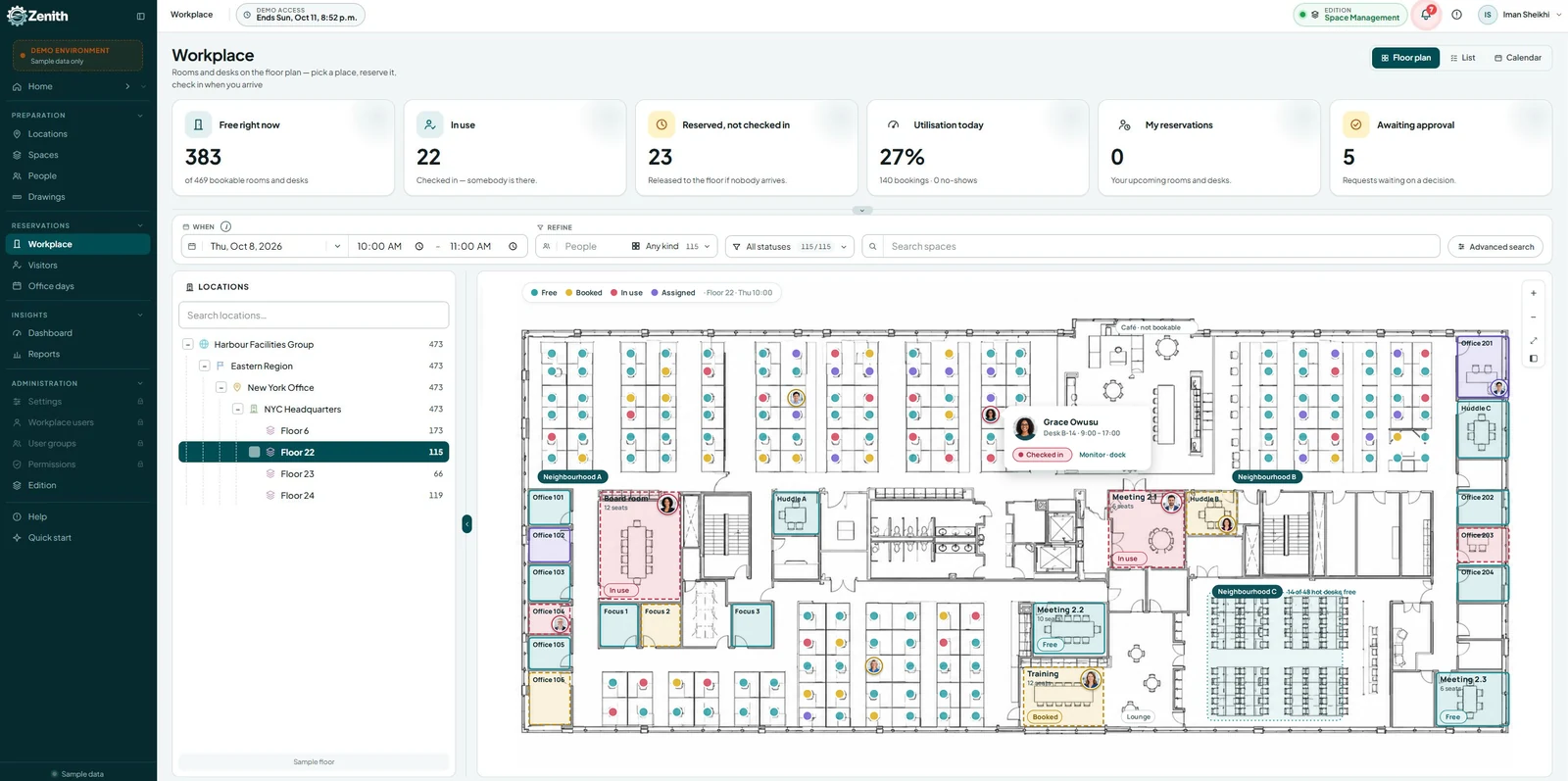
- Multi-Site Support: Manage multiple facilities under one account—ideal for small chains or franchises.
5. Dedicated Small-Business Support
- Responsive Helpdesk: Chat, email, or phone support included—no costly premium support tiers.
- Knowledge Base & Community: Step-by-step guides, video tutorials, and a forum of fellow small-business users.
- Regular Updates: Feature improvements driven by feedback from lean maintenance teams like yours.
Bottom Line: Zenith combines straightforward pricing, rapid deployment, and all the essential CMMS capabilities—making it a perfect fit for small businesses that need robust maintenance management without breaking the bank. Ready to see it in action? Request a free demo and cost analysis tailored to your operation.
10 Small Organizations That Need CMMS (But Often Don’t)
1. Boutique Hotels
Small hotels juggle dozens of rooms, common areas, and back‐of‐house equipment—from HVAC units to laundry machines. Without a CMMS, maintenance requests often slip through the cracks, leading to guest complaints and costly emergency repairs. A structured system ensures preventive checks on key assets, keeps work orders organized, and helps maintain five‐star service without overburdening a tiny engineering team.
2. Craft Breweries
Breweries rely on precise temperature control, fermentation vessels, and bottling lines to maintain consistency and quality. Manual logs and sticky notes make it easy to forget preventative cleaning cycles or equipment calibrations. A CMMS automates schedules for cleaning, filter changes, and sensor checks, preventing contamination, reducing downtime, and safeguarding the flavors that keep loyal customers coming back.
3. Dental Clinics
Dental practices use complex equipment like X-ray machines, autoclaves, and suction units that must meet strict sterilization and safety standards. Tracking calibration dates, filter replacements, and sterilizer validations on paper invites errors and audit failures. A CMMS centralizes service histories, sends automated reminders for ISO or health-board compliance, and ensures every chair and instrument is ready for the next patient.
4. Local Restaurants
Commercial kitchens depend on refrigerators, ovens, exhaust fans, and dishwashers running seamlessly around the clock. An unexpected freezer outage or hood fan failure can force costly emergency repairs or even temporary closure. By using a CMMS to schedule filter cleanings, gasket replacements, and inspection checklists, restaurants can avoid last-minute breakdowns and keep the doors open on their busiest nights.
5. Fitness Studios
Treadmills, ellipticals, rowing machines, and HVAC systems in gyms undergo heavy daily use that accelerates wear and tear. Without systematic upkeep, members encounter broken equipment or unexpected closures, tarnishing the studio’s reputation. A CMMS lets managers assign preventive tasks, log repair histories, and order spare parts before breakdowns occur—ensuring a safe, consistent workout experience.
6. Retail Boutiques
Small shops often overlook maintenance on point-of-sale terminals, lighting tracks, and in-store sound systems until something fails. Dimming lights or a dead register during peak shopping hours directly impact sales and customer experience. A CMMS schedules routine checks, tracks warranty expirations, and archives service records—helping boutique owners present polished storefronts without guesswork.
7. Small Manufacturers
Even a small CNC line or packaging station represents a significant investment, and unscheduled downtime halts production and erodes profit margins. Spreadsheets can’t keep pace with machine hours, oil changes, or tool replacements. Implementing a CMMS automates preventive plans, tracks parts usage, and delivers real-time dashboards on equipment health—maximizing throughput with minimal staff.
8. Co-working Spaces
Shared offices house printing stations, HVAC zones, conference-room projectors, and access-control systems that dozens of members rely on daily. When any of these elements break, the impact ripples through multiple businesses. A CMMS centralizes facility-wide maintenance requests, assigns tasks to in-house technicians or vendors, and logs work histories—ensuring smooth operations for every tenant.
9. Property Management Firms
Managers oversee boilers, elevators, landscaping equipment, and security cameras across multiple buildings or rental units. Without digital tracking, preventive tasks get lost, emergency calls spike, and legal liabilities grow. A CMMS helps property managers standardize inspection routines, track vendor performance, and generate audit-ready reports—protecting both tenants and assets.
10. Non-Profit Community Centers
Community halls and youth centers run on tight budgets, yet they still depend on generators, HVAC systems, and AV setups for events and safety. Manual maintenance leads to forgotten checks, unexpected failures, and repair bills that strain limited funds. A CMMS schedules critical inspections, logs volunteer or staff labor, and helps prioritize repairs—stretching every dollar for the community’s benefit.
All these organizations face equipment-related headaches every day—and a CMMS would transform how they work.
Frequently Asked Questions (FAQ)
1. What is a CMMS and how does it help small businesses?
A CMMS (Computerized Maintenance Management System) is software that helps businesses manage maintenance tasks, assets, work orders, and inventory. For small businesses, it reduces downtime, improves equipment reliability, and streamlines operations without relying on manual spreadsheets or paper logs.
2. Is CMMS software too expensive for small businesses?
Not necessarily. Many cloud-based CMMS platforms offer affordable pricing models. For example, Zenith starts at a low monthly rate and avoids costly setup fees, making it accessible even for small teams with limited budgets.
3. What kind of ROI can a small business expect from CMMS?
Most small businesses see ROI within 6–12 months. Savings come from reduced equipment failures, better labor efficiency, and extended asset life. Even one avoided breakdown can justify the cost of implementation.
4. How difficult is it to implement CMMS in a small organization?
Implementation can be simple and phased. Start with a few assets, train your team, and expand gradually. Zenith offers pre-built templates and intuitive dashboards that make onboarding fast and user-friendly.
5. Can CMMS help with compliance and audits?
Yes. CMMS systems maintain digital records of inspections, repairs, and preventive maintenance. This makes it easier to meet regulatory requirements and pass audits with confidence.
6. What types of small businesses benefit most from CMMS?
Any business with physical assets or equipment can benefit. Examples include restaurants, dental clinics, fitness studios, small manufacturers, and property management firms.
7. Why is clearing browser cache important when using CMMS?
Clearing cache ensures users see the latest updates and features. Incognito mode doesn’t always refresh stored data, so clearing the cache is a more reliable way to avoid display or functionality issues.
8. What makes Zenith different from other CMMS platforms?
Zenith is designed for simplicity, affordability, and flexibility. It offers dynamic dashboards, AutoCAD integration, and responsive support—ideal for small businesses that want enterprise-grade tools without the complexity.
9. Can Zenith be customized for specific industries?
Yes. Zenith supports custom fields, filters, and reporting criteria, making it adaptable for industries like hospitality, healthcare, manufacturing, and retail.
10. How can I get started with Zenith?
You can request a demo, explore pricing options, and begin with a pilot implementation. The setup is quick, and support is available to guide you through every step.
Conclusion
For small businesses, CMMS isn’t an “if”—it’s a “when.” The right system pays for itself through reduced downtime, extended asset life, and streamlined workflows. Solutions like Zenith make implementation straightforward and affordable, delivering enterprise capabilities on a small-business budget. Ready to see how CMMS can transform your operation? Get in touch for a free demo and cost analysis tailored to your needs.