


Introduction
If you’re looking for a reliable way to manage meeting rooms, shared workspaces, and facility bookings, Zenith Space and Room Scheduling Software in Canada is a top contender. This guide explores its features, benefits, and how it compares to other scheduling tools, so you can make an informed decision for your organization.
1️⃣ What Is Space and Room Scheduling Software?
Think of it as the central nervous system for all your shared spaces. Instead of juggling spreadsheets, sticky notes, and “Is this room free?” emails, this software gives you:
- One source of truth for every meeting room, workstation, or shared facility
- Real‑time updates so changes are instantly visible to everyone
- Search and filtering (e.g., find a room with a projector and capacity for 12)
- Visual floor maps so users can literally “click and book”
- Automated workflows for approvals, notifications, and cancellations
- Integration with building systems (e.g., lighting, HVAC, access control) for energy savings and security
It’s not just about booking; it’s about optimizing usage and improving the user experience for everyone in the organization.
2️⃣ Why Space and Room Scheduling Matters?
Efficient space management is essential for productivity. Without the right tools, double bookings, underused rooms, and scheduling conflicts can cost time and money. According to IFMA, organizations that optimize space usage can reduce facility costs by up to 30%.
Space is expensive. Wasting it is like leaving the lights on in an empty stadium. Without a proper scheduling system, organizations face:
- Inefficiency – unused rooms sit empty while others are overbooked
- Employee frustration – hunting for space kills productivity
- Lack of data – without usage metrics, it’s impossible to plan layouts or budgets intelligently
- Hybrid chaos – in flexible workplaces, you need to know who’s in and where they’ll sit
- Operational costs – lighting, heating, and cooling unused spaces wastes money
When deployed properly, scheduling software:
- Boosts productivity by making booking frictionless
- Supports hybrid and flexible work models without desk/room conflicts
- Provides data for strategic real estate decisions (e.g., downsizing or repurposing spaces)
- Improves visitor management and client experience by ensuring meeting spaces are ready and welcoming
The right software turns these challenges into opportunities — reducing costs, improving employee experience, and enabling data‑driven decisions.
3️⃣ Which Industries Benefit Most (and Why)
Across Canada, a wide range of sectors rely on space and room scheduling software to keep operations running smoothly. Corporate offices use it to balance hybrid work patterns and keep collaboration areas in constant, productive use. Educational institutions depend on it for managing classrooms, labs, and lecture halls with precision, while healthcare facilities coordinate shared clinical rooms and specialized equipment to avoid costly overlaps. In hospitality and events, it maximizes revenue by ensuring venues are booked to their full potential, and in government or public sector settings, it maintains fairness and transparency when allocating community spaces. Even coworking providers find it indispensable, giving members the freedom to reserve desks or meeting rooms on demand — all with the efficiency, visibility, and accountability today’s organizations require.
| Industry | Why it’s needed |
|---|---|
| Corporate offices | Manage hybrid workstations, meeting rooms, and collaboration zones efficiently. |
| Education | Schedule classrooms, labs, and auditoriums while tracking utilization for funding and compliance. |
| Healthcare | Coordinate shared clinical spaces, training rooms, and equipment usage to avoid conflicts. |
| Hospitality & events | Optimize conference halls, banquet rooms, and breakout spaces for maximum revenue. |
| Government & public sector | Ensure fair, transparent allocation of community spaces and meeting facilities. |
| Coworking spaces | Offer self‑service booking for desks and rooms, enhancing member satisfaction. |
4️⃣ What is Zenith Space and Room Scheduling Software?
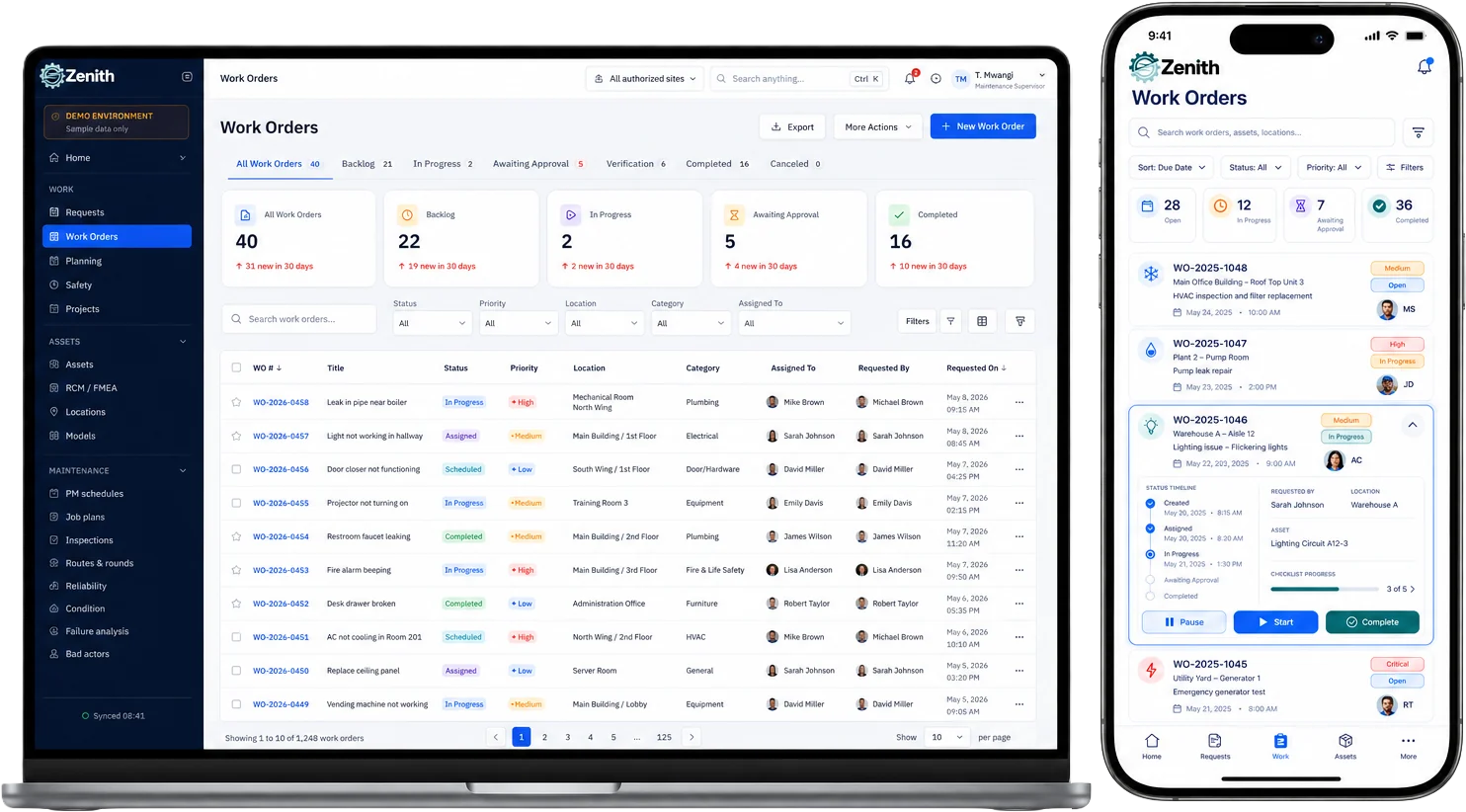
Zenith is a Canadian‑ready CAFM (Computer‑Aided Facility Management) and CMMS platform that includes powerful Space Scheduling capabilities. It’s designed to handle the unique demands of Canadian organizations — from bilingual interfaces to compliance with PIPEDA.
Zenith Space and Room Scheduling Software in Canada is a cloud-based platform designed to help businesses, schools, and government facilities manage their spaces more effectively. It offers:
- Real-time booking to prevent conflicts
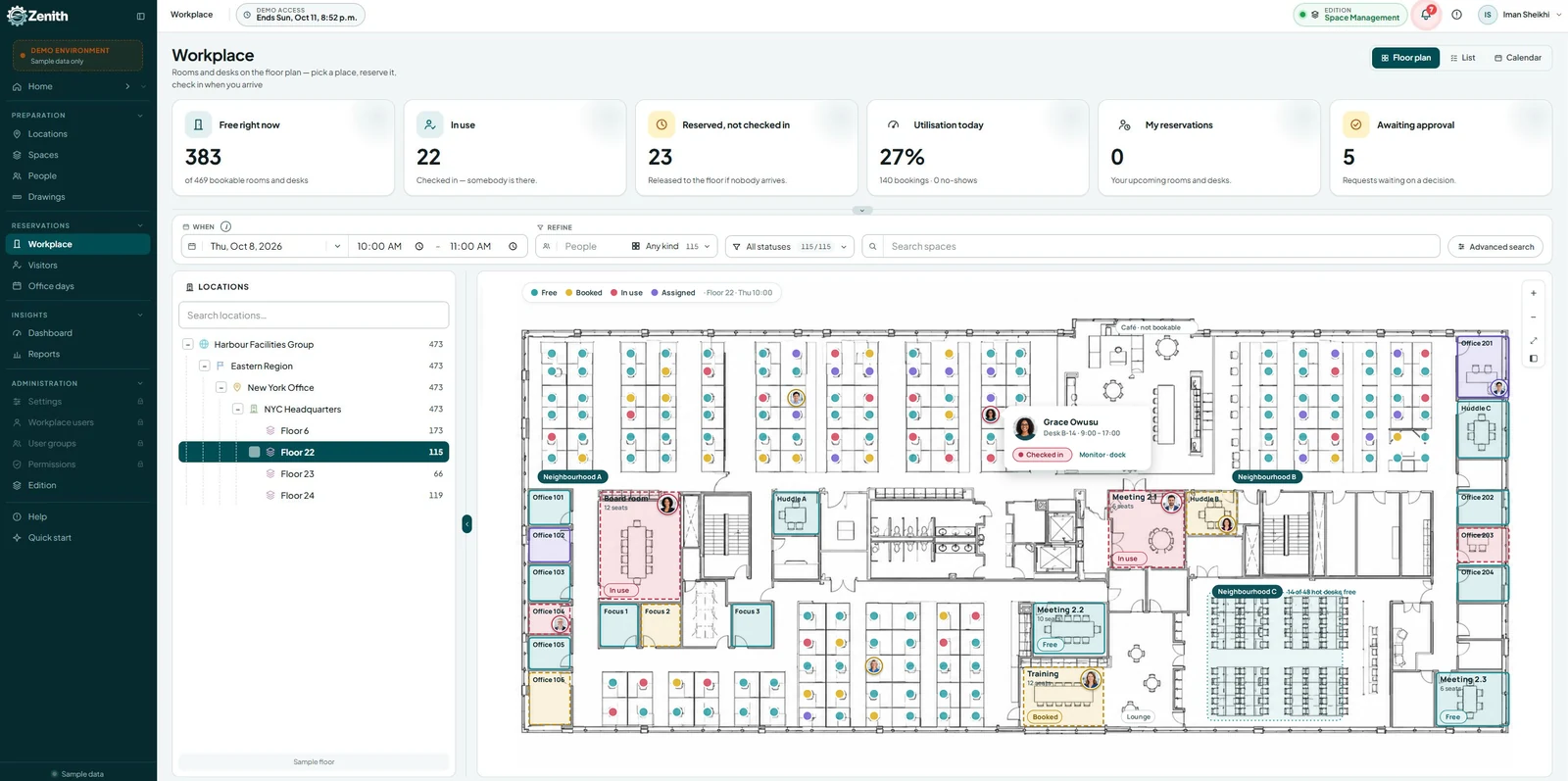
- Interactive floor plans for easy navigation
- Integration with Outlook and Google Calendar
- Customizable reports for usage analytics
Key Advantages:
- Intuitive Booking: Reserve desks, rooms, or shared spaces in seconds via a user‑friendly interface.
- Hybrid Work Integration: Supports fluctuating in‑office attendance with real‑time visibility.
- Advanced Reporting: Identify underused areas, forecast needs, and optimize layouts.
- Floor Plan Integration: Book directly from interactive, color‑coded floor plans.
- Access Control: Manage who can book what, reducing conflicts and misuse.
- Mobile Accessibility: Book or manage reservations from anywhere.
Zenith doesn’t just schedule spaces — it transforms them into productivity hubs by combining scheduling with asset management, preventive maintenance, and analytics.
Key Benefits of Zenith
1. Improved Efficiency
With automated scheduling and instant updates, Zenith reduces administrative workload.
2. Better Space Utilization
The software’s analytics help identify underused rooms, allowing for better allocation.
3. Seamless Integration
Zenith works with popular tools like Microsoft 365, making adoption easier.
How Zenith Compares to Other Canadian Solutions
While there are other options like Robin and Condeco, Zenith Space and Room Scheduling Software in Canada stands out for its intuitive interface and strong customer support.
Room scheduling software and no-shows
The most common complaint about room scheduling software is not the booking screen. It is rooms that show as booked and sit empty. Check-in and automatic release fix most of it: if nobody confirms within a set time, the room goes back on the schedule.
- Measure first. Our guide to meeting room no-shows shows how to count them and which policy calls to make before switching release on.
- Make booking accessible. Floor plans and booking screens must work with a keyboard and a screen reader. See our accessible booking system checklist.
- Report real use, not bookings. Our guide to calculating space utilisation explains the difference.
- Public sector buyers should also read our notes on municipal space booking and privacy impact assessments.
Zenith’s room and desk scheduling software runs check-in and automatic release from the same system as the floor plan and the space register, in English and French, with data hosted in Canada.
Booking desks as well as rooms? Our desk booking software buyer’s guide covers check-in rules, Quebec’s Law 25 and the questions to ask in a demo.
5️⃣ FAQ
Q1: Is space scheduling software only for large organizations?
No — small businesses, coworking hubs, and even non‑profits can benefit. The scalability of platforms like Zenith makes them cost‑effective for any size.
Q2: Can it integrate with my existing calendar system?
Yes — leading solutions integrate with Outlook, Google Calendar, and other platforms to sync bookings automatically.
Q3: How does it help with hybrid work?
By showing real‑time availability and enabling remote booking, it ensures employees always have the right space when they come in.
Q4: Is Zenith compliant with Canadian privacy laws?
Yes — it supports PIPEDA compliance and offers bilingual interfaces for national accessibility.
Q5: Can I track how often spaces are used?
Absolutely — Zenith’s analytics reveal occupancy rates, peak usage times, and trends to guide space planning.