


Definition of Space Management Software
Space management software is a specialized class of facility technology that digitizes building layouts, tracks occupancy and asset location, automates reservations and moves, and turns static floor plans into live operational dashboards. It gives facility teams and business leaders the real-time visibility required to measure utilization, enforce space policies, and make evidence-based decisions about allocation, lease strategy, and workplace design.
Advantages of Space Management Software
- Improved space utilization: identify underused zones and reassign or repurpose square footage to reduce wasted real estate and reduce costs.
- Data-driven decision-making: analytics and heat maps translate raw occupancy events into trends that guide resizing, cleaning cycles, and capital planning.
- Operational efficiency: integrated booking, move coordination, and asset tracking reduce manual effort and errors, accelerating onboarding and change events.
- Enhanced employee experience: reliable room and desk booking, wayfinding, and availability transparency reduce friction and increase productivity.
- Risk reduction and compliance: centralized records, capacity controls, and safety-layer mapping help organizations meet regulatory, accessibility, and emergency-planning requirements.
(Points above reflect core benefits described in industry overviews of space management systems)
Industries That Need Space Management Software and Why
- Corporate Offices and Hybrid Workplaces
Why: Hybrid models require dynamic desk and meeting-room allocation, visibility into occupancy patterns, and policies to prevent conflicts and enforce capacity limits. - Healthcare and Long-term Care Facilities
Why: Precise asset tracking, room readiness, infection-control cleaning schedules, and regulatory documentation are essential for patient safety and operational continuity. - Education and Campus Facilities
Why: Classrooms, labs, and shared research spaces need scheduling, occupancy analytics for peak periods, and move management during semester changes. - Government and Public Sector Buildings
Why: Tight budgets and transparency requirements make optimizing space, tracking public access, and supporting accessibility workflows priorities. - Retail and Logistics Hubs
Why: Back-office operations, showroom allocation, and warehouse office footprints require coordination with operational workflows, asset location, and seasonal scaling. - Hospitality and Conference Centers
Why: High-turnover bookings, setup requirements, and integration with event services require a booking engine tied to the physical plan. - Industrial Facilities and Manufacturing Plants
Why: Safety zones, heavy-equipment locations, and maintenance scheduling benefit from visual layouts tied to asset and condition data.
Across these industries, the common drivers are cost control, safety/compliance, and delivering a predictable user experience; space management software directly addresses those drivers through visibility, rules, and automation.
Top Features to Look for in Space Management Software
Below are practical, prioritized features facility leaders should evaluate, why they matter, and the indicators of a high-quality implementation.
1. Interactive Floor Plans and Visual Mapping
- What it is: scalable, layered digital blueprints with overlays for furniture, safety zones, assets, and live occupancy.
- Why it matters: visual context accelerates decision-making; heat maps and overlays show instantaneous status.
- Key indicators: vector-based plans, layer toggles, smooth zoom/pan, and mobile-responsive maps.
2. Real-Time Occupancy and Sensor Integration
- What it is: live feeds from badge systems, Wi-Fi/RTLS, or IoT sensors feeding occupancy dashboards.
- Why it matters: accurate utilization metrics enable right-sizing and operational actions like targeted cleaning.
- Key indicators: low-latency updates, support for common sensor APIs, and reconciled historical vs. live data.
3. Room and Desk Booking Engine
- What it is: single-pane reservation workflow integrating policies, calendars, approvals, and capacity rules.
- Why it matters: reduces double-booking and enforces space rules for hybrid teams.
- Key indicators: calendar sync (Outlook/Google), mobile booking, visitor handling, and flexible rules engine.
4. Move Management and Relocation Planning
- What it is: planning tools for seat moves, department reorganizations, and full-floor relocations with notifications and resource allocation.
- Why it matters: reduces disruption, lost assets, and support tickets during moves.
- Key indicators: drag-and-drop moves, automated task lists for IT/HR, and cost-estimation features.
5. Asset and Inventory Tracking
- What it is: registration and location services for furniture, equipment, and critical infrastructure tied to floor plans.
- Why it matters: speeds maintenance, supports audits, and prevents loss.
- Key indicators: asset lifecycle fields, barcode/RFID support, and maintenance-linkage.
6. Utilization Analytics and Reporting
- What it is: dashboards, trend reports, heat maps, and KPI exports (cost/sqft, utilization %, peak hours).
- Why it matters: necessary for leasing decisions, budget justification, and operational scheduling.
- Key indicators: configurable dashboards, scheduled exports, role-based access to metrics.
7. Rules, Policies, and Capacity Controls
- What it is: business rules for booking length, capacity, safety zones, and cleaning cadences.
- Why it matters: enforces compliance and ensures health/safety and operational constraints are respected.
- Key indicators: policy templates, rule testing, and override workflows.
8. Integrations and Open APIs
- What it is: connectivity to HR systems, identity providers, CAFM/EAM, calendars, sensors, and single-sign-on.
- Why it matters: prevents data silos, reduces duplicate entry, and makes space a first-class citizen in the enterprise ecosystem.
- Key indicators: documented REST APIs, Webhooks, and pre-built connectors.
9. Mobile Access and Wayfinding
- What it is: native or responsive apps with location-aware wayfinding, QR check-ins, and instant reservations.
- Why it matters: supports desk hoteling, guest navigation, and frontline staff who require on-the-go tools.
- Key indicators: offline support, indoor positioning support, and QR/Beacon workflows.
10. Security, Privacy, and Compliance
- What it is: encryption, role-based access control, audit trails, and data residency options.
- Why it matters: protects sensitive workplace data and aligns with regulatory requirements for sectors like healthcare and government.
- Key indicators: SOC/ISO attestations, configurable retention, and access logging.
11. Automated Workflows and Notifications
- What it is: built-in automation for approvals, reminders, cleaning requests, and post-booking surveys.
- Why it matters: frees staff time and ensures SLA-driven responses to space events.
- Key indicators: visual workflow editor, templated actions, and notification channel options (email, SMS, Slack).
12. Cost Modeling and Lease Optimization Tools
- What it is: tools that relate utilization metrics to cost per square foot, enabling portfolio rationalization and scenario planning.
- Why it matters: directly ties space strategy to finance, allowing easier justification for changes.
- Key indicators: scenario comparisons, forecast modeling, and exportable business cases.
How Zenith Covers Each Feature
Zenith was designed and built for Canadian facility needs and regulatory contexts. Below I map each core feature above to how Zenith implements or supports it, with practical examples of outcomes for organizations.
Interactive Floor Plans and Visual Mapping
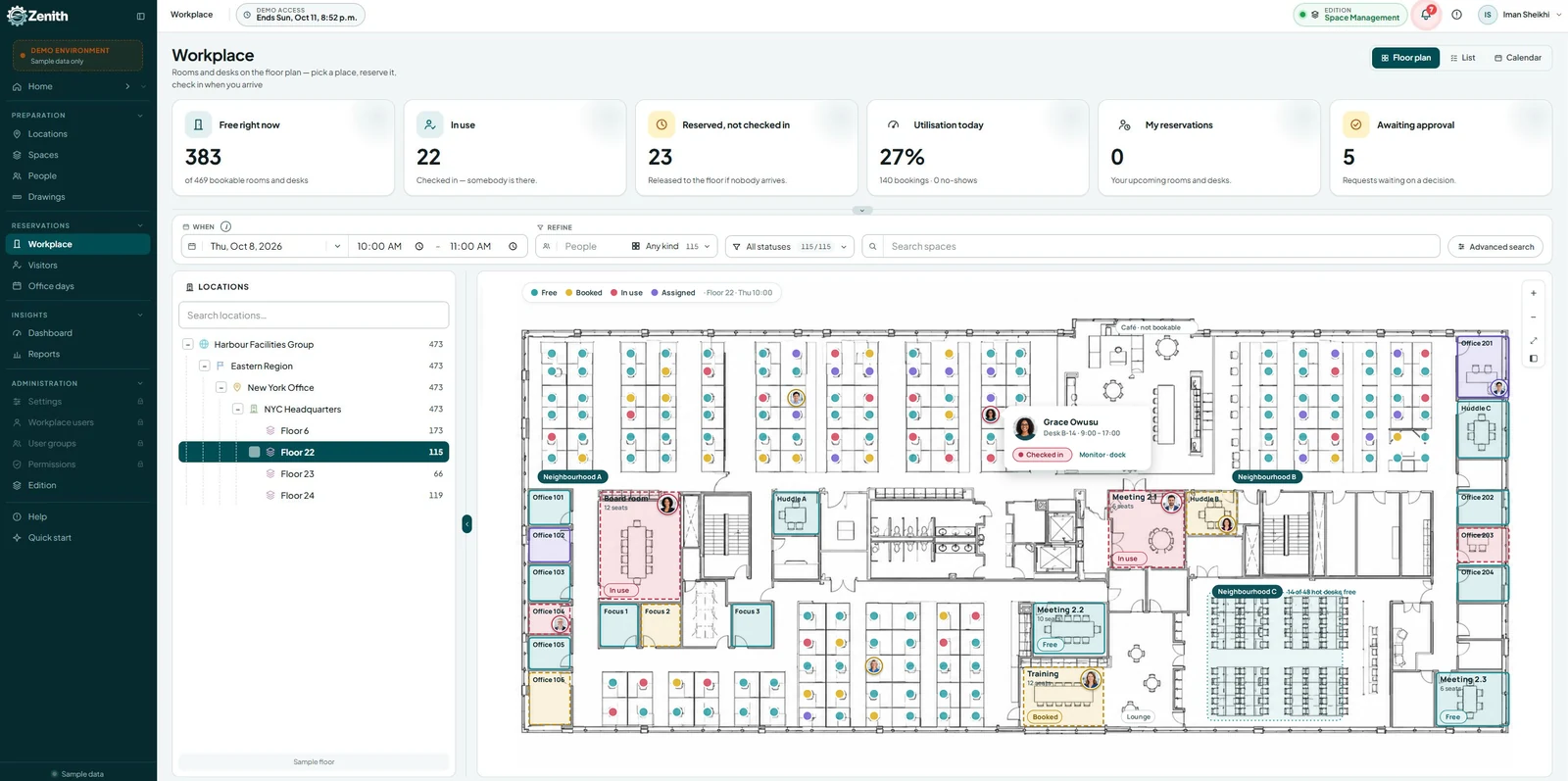
- Zenith supports high-fidelity floor plans with layered views for furniture, safety zones, and asset locations. Users can toggle layers (e.g., electrical, ADA pathways, furniture) to get the specific context they need, and the map UI is optimized for both desktop and mobile. The interactive plan becomes the single source of truth for space decisions, making move planning and emergency routing far more efficient.
Real-Time Occupancy and Sensor Integration
- Zenith accepts integrations from common badge systems, Wi-Fi analytics, and IoT sensor feeds. Live overlays on floor plans show which desks and rooms are occupied, enabling facilities teams to verify utilization numbers and adjust cleaning schedules in near real time. Historical aggregation enables trend analysis for monthly or quarterly planning.
Room and Desk Booking Engine
- Zenith’s booking engine integrates with external calendars and supports flexible policy rules such as minimum/maximum booking length, capacity thresholds, and multi-approval workflows for specialized rooms. Mobile bookings and visitor-management flows let reception and security teams enforce access policies without manual spreadsheets.
Move Management and Relocation Planning
- The platform includes drag-and-drop move planning directly on the floor plan. When a move is scheduled, Zenith auto-generates task lists for IT provisioning, facilities prep, and notifications for HR and employees. The built-in changelog avoids lost equipment and reduces the administrative overhead associated with re-cabling, badge updates, and asset transfers.
Asset and Inventory Tracking
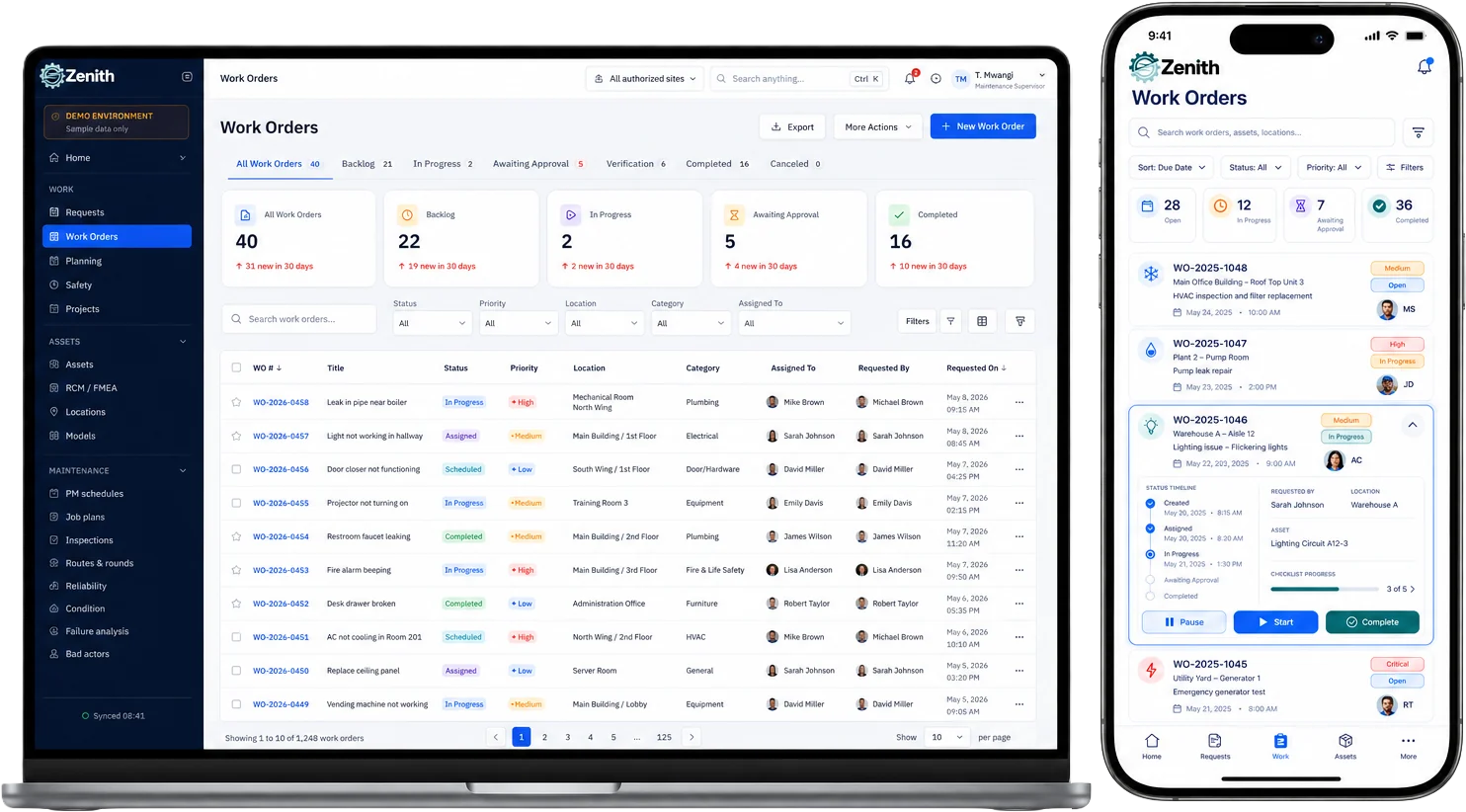
- Each asset in Zenith contains lifecycle attributes, purchase info, warranty dates, and location history. Barcode and QR tagging workflows speed physical audits, and maintenance tickets can be launched directly from an asset’s detail view, linking work orders to precise map locations.
Utilization Analytics and Reporting
- Zenith provides configurable dashboards showing utilization by zone, peak hours, average occupancy rate, and cost per square foot. Facilities and finance teams can export scheduled reports for leadership or integrate metrics into corporate BI tools for deeper analysis, supporting portfolio decisions and lease negotiations.
Rules, Policies, and Capacity Controls
- The rules engine in Zenith enforces booking policies, capacity rules for meeting rooms, and specialized constraints for lab or clinical spaces. Administrators can define automated lockdowns (for example, for cleaning or controlled access) and temporary policy overrides when needed.
Integrations and Open APIs
- Zenith offers a documented REST API and pre-built connectors for popular HRIS, CAFM/EAM systems, calendar providers, and identity providers. That connectivity reduces duplicate entry and ensures that space data remains synchronized across enterprise systems.
Mobile Access and Wayfinding
- Zenith includes a responsive mobile interface supporting QR check-ins, mobile reservations, and basic indoor wayfinding. For larger campuses, the platform supports beacon/QR-assisted navigation to guide visitors and staff to reserved rooms or assets.
Security, Privacy, and Compliance
- Zenith supports role-based access controls, audit logs, and data residency options suitable for Canadian customers. Sensitive data fields are encrypted, and administrative controls allow facilities to tailor retention and access policies to internal governance needs.
Automated Workflows and Notifications
- Administrators can create automated flows for post-event cleaning, unlock requests, maintenance triggers, and escalations. Notification channels include email, SMS, and webhook triggers to third-party apps, reducing manual coordination and improving SLA compliance.
Cost Modeling and Lease Optimization Tools
- Built-in reporting ties utilization back to cost per square foot and supports comparison scenarios (e.g., consolidating two floors vs. redistributing teams). Zenith’s reports can be exported as business cases to support lease renegotiations or reduce redundant space.
Implementation Best Practices and Expected ROI
- Phased rollout: start with a pilot floor or building, configure core integrations (calendar, HR, badge), then expand to wider portfolio.
- Data hygiene: ensure floor plans, employee lists, and asset registries are accurate prior to go-live to gain trust in the analytics.
- Policy-first design: codify booking and capacity rules before enabling self-service to prevent early misuse and to model expected behaviors.
- Change management: provide short training sessions and quick reference guides; identify space champions in each business unit.
- Metrics to measure: peak utilization, average occupancy rate, no-show booking rate, move ticket time-to-resolution, and cost per square foot.
Expected ROI scenarios:
- Short-term: reduced administrative time on bookings and moves; better cleaning allocation and fewer emergency support requests.
- Medium-term: optimized desk and room allocation, enabling lease consolidation or avoiding new leases.
- Long-term: alignment of real estate strategy with business goals, measurable reduction in cost per employee, and faster onboarding for new hires—helping transform space from a cost center into a strategic asset.
Conclusion
Space management software is essential for organizations that want to align real estate with how people actually use space. Key capabilities include interactive floor plans, real-time occupancy, robust booking and move management, asset tracking, analytics, and strong integrations. Each feature directly impacts cost control, employee experience, safety, and compliance.
Zenith is purpose-built to deliver these capabilities with Canadian operational and regulatory requirements in mind. It converts floor plans into living operational tools, ties utilization to finance, streamlines moves and bookings, and secures asset and people data while enabling integrations across the enterprise. For organizations in healthcare, long-term care, corporate offices, education, government, retail, and industrial sectors, Zenith offers a practical path from visibility to measurable outcomes: lower costs, higher utilization, and predictable, reliable service delivery.