

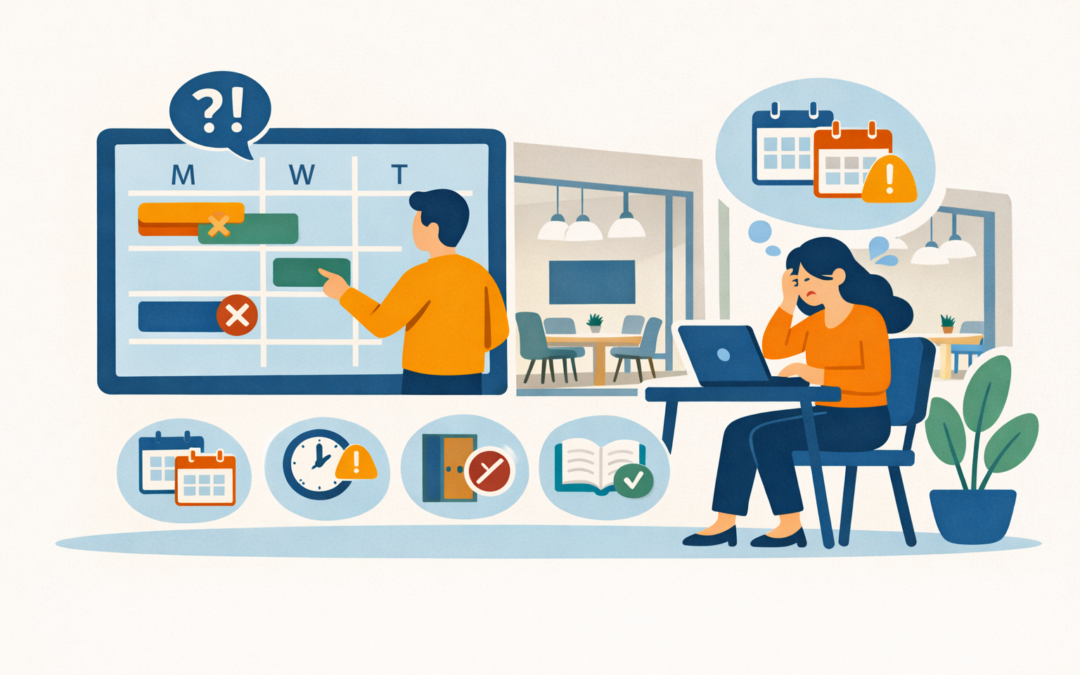
Meetings only work when the right space is ready and available—and small scheduling errors can quickly derail productivity. This post outlines five common meeting room booking mistakes and provides clear, practical fixes—from adopting real-time reservation tools and precise room descriptions to enforcing simple no-show policies and reliable AV checks—so your team spends less time troubleshooting logistics and more time getting work done.
5 Common Room Booking Mistakes and Practical Fixes
- Double bookings and scheduling confusion
Mistake: Multiple people reserve the same room, or the calendar sync fails.
Fix: Use a single authoritative booking system with real‑time availability and calendar integration; enforce a short buffer time between bookings. - No‑shows and ghost reservations
Mistake: Rooms are reserved but unused, blocking others.
Fix: Implement auto‑release rules (e.g., release after 10 minutes of no check‑in) and require quick confirmations via room panels or mobile app. - Missing or unclear room information
Mistake: Bookers don’t know capacity, layout, or AV capabilities.
Fix: Standardize room profiles with capacity, equipment, accessibility, and photos in the booking UI. - Tech failures and poor AV setup
Mistake: Meetings stall because cables, conferencing, or Wi‑Fi fail.
Fix: Maintain a checklist, schedule regular tech audits, and provide simple one‑click join options. - Manual, fragmented processes
Mistake: Excel, email, and multiple calendars create friction.
Fix: Consolidate into a single platform with analytics and mobile booking to support hybrid work.
Top 10 Industry Benefits
| Benefit | Why it matters |
|---|---|
| Reduced double bookings | Saves staff time; improves meeting flow |
| Higher room utilization | Cuts real estate costs |
| Fewer no‑shows | Frees space for others |
| Faster meeting starts | Boosts productivity |
| Better AV reliability | Improves remote collaboration |
| Clear room specs | Reduces setup time |
| Data‑driven planning | Informs space strategy |
| Improved employee experience | Lowers frustration |
| Policy enforcement | Ensures fair access |
| Scalable for hybrid work | Supports flexible schedules |
How Zenith Can Help
Zenith can remove room‑booking friction by combining a cloud CAFM/CMMS platform, real‑time occupancy insight, and hands‑on implementation support—helping Langford workplaces cut double‑bookings, reduce no‑shows, and turn space data into cost savings.
What Zenith actually delivers
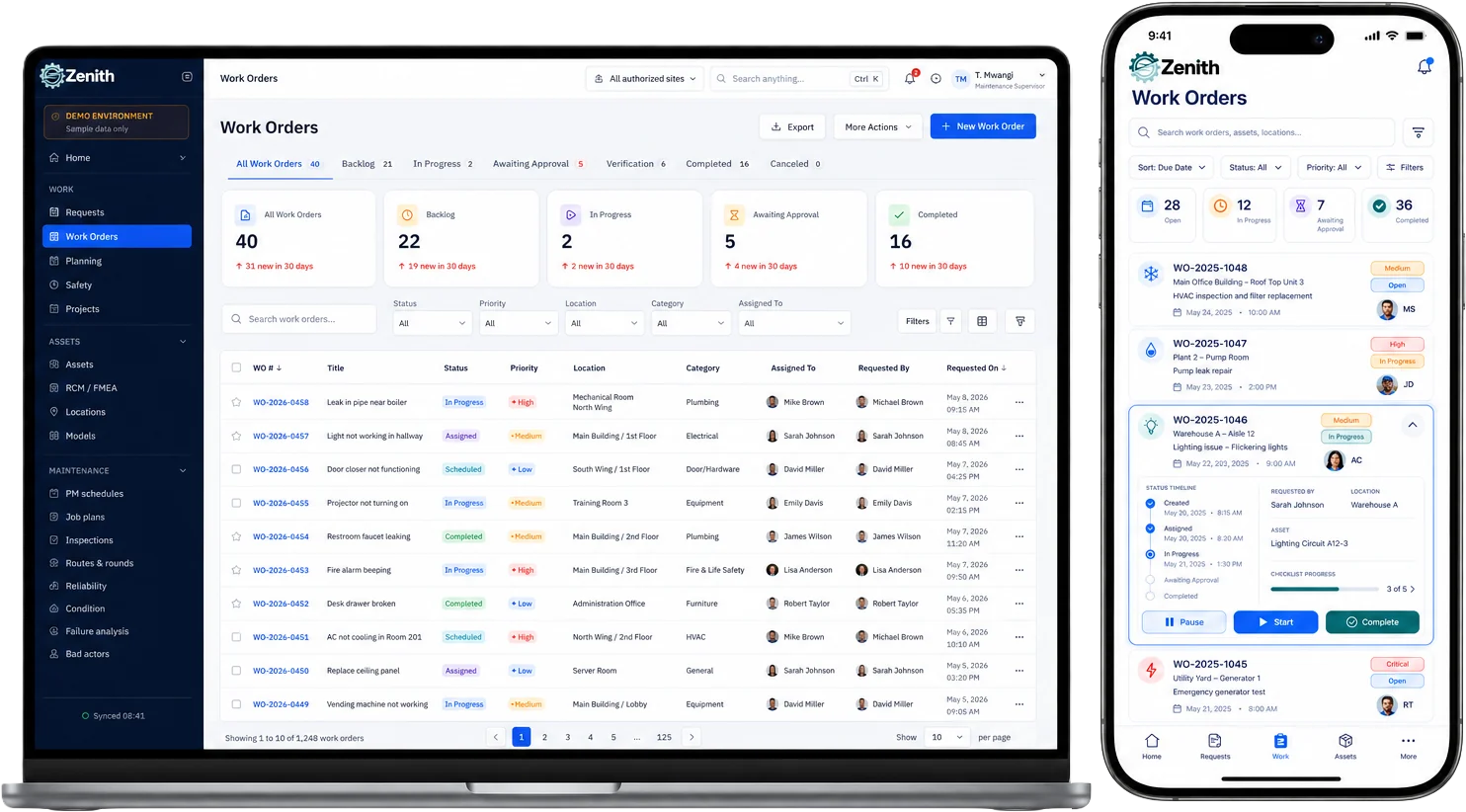
- Integrated facility management platform (CAFM/CMMS): Zenith provides a single cloud‑based system that centralizes space, assets, maintenance, and bookings so facilities teams stop juggling spreadsheets and disconnected calendars.
- Mobile and browser access: The interface adapts to phones and tablets so staff and visitors can check room availability and confirm bookings on the go.
- Operations and maintenance integration: Work orders, AV/IT fault reporting, and preventative maintenance workflows are built into the same platform, reducing tech failures that derail meetings.
How those features solve the five common booking mistakes
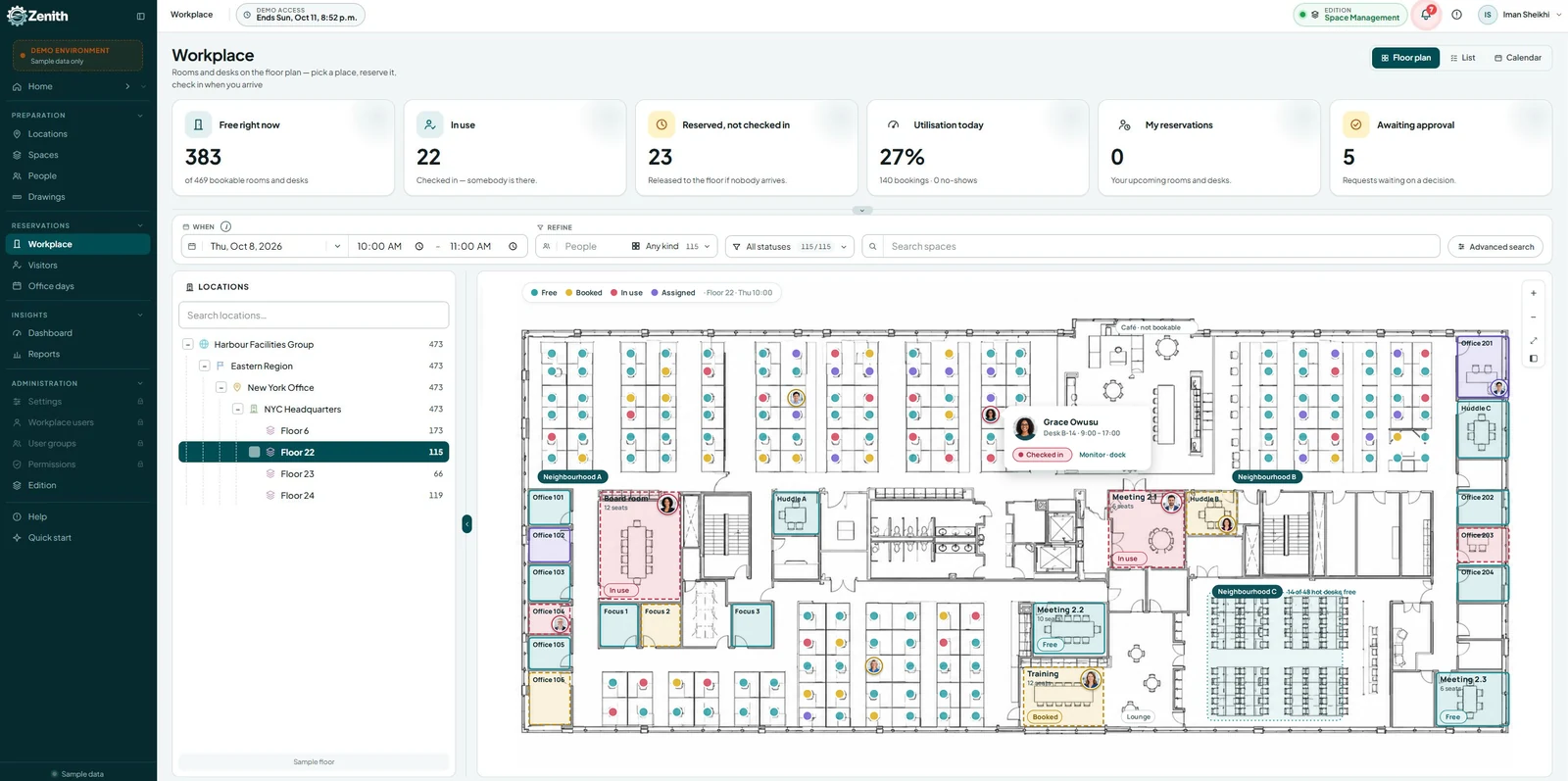
- Stops double bookings: A single authoritative booking source with real‑time availability prevents conflicting reservations and sync issues. Result: fewer interruptions and less admin time.
- Reduces no‑shows: Zenith’s occupancy and usage reporting lets you implement auto‑release policies and identify habitual no‑show patterns to reclaim unused space. Result: higher utilization and fairer access.
- Clarifies room specs: Room profiles (capacity, layout, AV inventory, photos) live in the system, so bookers pick the right space the first time. Result: faster setup and fewer last‑minute moves.
- Improves AV reliability: Integrated maintenance workflows and fault reporting shorten mean time to repair for conferencing gear. Result: meetings start on time, and remote participants stay connected.
- Eliminates manual processes: Centralized data and dashboards replace Excel and email chains, enabling automated rules and analytics for smarter decisions. Result: measurable cost savings and better space planning.
Implementation and support
- Discovery & configuration: Zenith maps your rooms, policies, and AV inventory, then configures booking rules (buffers, auto‑release, approval flows).
- Sensor and data integration: Where needed, occupancy sensors and calendar integrations feed real‑time usage into analytics for accurate reporting.
- Training & change management: User training and admin onboarding accelerate adoption so the platform becomes the single source of truth.
- Ongoing managed services: Optional managed maintenance and support keep AV and facilities workflows running smoothly.
FAQ
How quickly will a booking system reduce double bookings?
Most organizations see a noticeable drop in double bookings within 2–6 weeks after deploying a single authoritative booking system and enforcing calendar sync rules. Early wins come from enabling real‑time availability, setting short buffer times between meetings, and training staff on the new workflow.
What auto‑release policy should we use to reduce no‑shows?
A common starting point is 5–15 minutes: release the room if no one checks in within that window. Tune the timeout based on meeting culture and monitor reclaimed time; combine auto‑release with gentle reminders to reduce false releases.
Do occupancy sensors actually improve utilization data?
Yes. Sensors provide objective, minute‑by‑minute occupancy data that validates calendar bookings and reveals ghost reservations. Use sensor data to refine auto‑release rules, identify underused rooms, and justify changes to room mix or scheduling policies.
How do we prevent tech failures from derailing meetings?
Standardize AV setups, maintain an inventory of equipment in each room profile, and integrate fault reporting into your booking platform so users can log issues immediately. Schedule regular preventative maintenance and provide simple one‑click join links for common conferencing platforms.
What should be included in a room profile to avoid mismatches?
Each room profile should list capacity, recommended layout, AV equipment, connectivity, accessibility features, and a photo. Also include booking rules (e.g., max duration, approval required), so bookers choose the right space the first time.
How can we reduce manual, fragmented booking processes?
Consolidate calendars and booking channels into a single platform, retire spreadsheets, and automate routine tasks like confirmations, reminders, and auto‑release. Provide mobile access and single sign‑on to increase adoption and reduce ad‑hoc email requests.
What metrics should facilities track to measure success?
Track double booking incidents, no‑show rate, room utilization percentage, average meeting start delay, AV fault tickets, and reclaimed hours from auto‑release. Monitor trends monthly and use the data to adjust policies and space allocation.
How do we handle recurring meetings that block space unnecessarily?
Require periodic review of recurring bookings, set expiration or renewal reminders for long‑running series, and allow admins to flag low‑utilization recurring slots for reassessment. Encourage teams to reserve recurring time only when usage is consistent.
Can policy changes upset teams, and how do we manage adoption?
Change management matters. Communicate the reasons and benefits clearly, run a pilot with power users, provide quick training sessions and cheat‑sheets, and collect feedback to iterate. Visible wins—fewer conflicts and faster meeting starts—help build trust.
What role does mobile booking play in reducing friction?
Mobile booking enables on‑the‑go reservations, quick check‑ins, and instant cancellations, which reduces last‑minute conflicts and improves utilization. Pair mobile access with push reminders and in‑room check‑in to maximize effectiveness.
How can a vendor like Zenith help implement these fixes?
A specialist vendor can provide the integrated booking platform, sensor and calendar integrations, policy configuration (buffers, auto‑release, approvals), AV maintenance workflows, and training needed for rapid adoption. They also deliver analytics and ongoing managed services to sustain improvements and demonstrate ROI.
Conclusion
Fixing room‑booking problems is practical and measurable when you combine clear policies, the right technology, and focused training. Start by making one booking system the single source of truth, publishing complete room profiles, and enforcing simple rules like short buffer times and auto‑release for no‑shows. Pair those policies with reliable AV maintenance and real‑time occupancy data so meetings start on time and space is used efficiently.
For organizations that want to move faster and reduce risk, working with Zenith accelerates results. Their integrated platform, sensor and calendar integrations, policy configuration, and hands‑on change management help teams adopt new workflows quickly and deliver measurable ROI. Implement the fixes in stages, measure outcomes, and keep the focus on making meetings predictable, productive, and fair for everyone.